


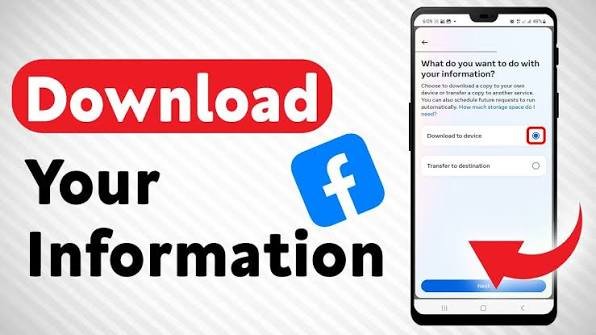
You can download a copy of your Facebook photos, videos, posts and other account information from Accounts Center. Open Settings & Privacy, go to Accounts Center, Your information and permissions, Access your information, choose Download your information, pick your account, choose what to include and tap Create files. Facebook emails you when the file is ready, and you must enter your password to download it. If you only need one photo, you can save it directly from your profile. Here are the steps for computer and phone, the file options to choose, and what I could not confirm.
Before You Start
- Use a safe, private device and network. The file can contain private messages and photos, so do not download it on a shared computer.
- Choose the file options carefully. A bigger date range and higher media quality make a larger file that takes longer to prepare.
- Keep enough storage free. Fox News (May 2025) says the wait can be up to an hour, and the time depends on how much you request.
The first point is general advice.
On a Computer
Fox News (May 2025) gives this path:
- Click your profile picture at the top right, then Settings & Privacy, then Settings.
- Click Accounts Center in the left sidebar.
- Click Your information and permissions, then Access your information.
- Scroll to the bottom and click Download your information.
- In the pop-up, click Download or transfer information.
- Select your Facebook account and click Next.
- Choose Available information for a complete copy, or Specific types of information to pick items (Kapwing, January 2025).
- Click Download to device. Kapwing says you can also send the files to Google Drive or Dropbox.
- Set the file options below and click Create files.
On a Phone
- Tap Menu (your profile icon, bottom right), then Settings & Privacy, then Settings.
- Tap Accounts Center, then Your information and permissions, then Access your information.
- Scroll down and tap Download your information.
- Tap Download or transfer information, select your account and tap Next.
- Tap Available information, then Download to device.
- Set the file options and tap Create files.
Fox News describes these steps for an iPhone and says Android menu names may vary slightly.
Choose Your File Options
- Date range: Fox News lists “Last year” (default), “Last 3 years” and “All time.” Kapwing lists options from “Last week” to “All time.” Choose “All time” if you want your complete history.
- Format: HTML is easy to open and browse. JSON is for importing into other services (Techlicious, December 2023).
- Media quality: High, Medium or Low (Kapwing). High quality takes longer and makes a bigger file. Fox News says to keep Medium, the default.
- Notify: Confirm the email address where Facebook will tell you the file is ready.
If you want the best-quality photos, choose High, but expect a larger file. This is general advice.
Download Only Your Photos and Videos
If you do not want everything, choose Specific types of information and select the items you need. Techlicious says that selecting Posts under “Your activity across Facebook” gives you copies of your photos and videos. Check the list on your own screen, since the names may have changed.
Download One Photo or Video
- Go to your profile and select Photos or Videos.
- Open the item and click the three dots on the right.
- Choose Download photo or Download video.
Kapwing says videos download as MP4. It does not cover downloading whole albums.
Get Your File
- Wait for the email. A bell notification also appears, reading “The files you requested are ready to download” (Fox News).
- Click Download, enter your Facebook password and click Continue.
- Your files arrive as a zip archive (Kapwing). Open it on your computer.
Fox News says the file is available for four days after you receive the notification. If it expires, you must make a new request.
What You Can Download
Techlicious lists four categories you can choose from:
- Your activity across Facebook
- Personal information
- Connections
- Logged information
I did not find a current official list of what each category contains, so I do not describe the contents in detail.
Keep Your Download Safe
- Do not share the file or upload it to an unknown website.
- Store it somewhere private, such as an encrypted drive. This is general advice.
- Delete copies you no longer need.
- Never give your Facebook password to a site or person offering to “download your data.”
These tips are general advice.
What I Could Not Confirm
- Facebook’s own help page. I could not open it. The steps come from Fox News (30 May 2025), Kapwing (January 2025) and Techlicious (December 2023). Menu names change, and Techlicious’s older steps use “Settings & Privacy, Settings, Download your information” without Accounts Center.
- Whether Facebook still keeps files for four days. That figure comes from Fox News only.
- The default file settings today. Fox News says Medium and HTML. Check what your screen shows.
- Whether videos and photos are included in full quality at each setting.
- Exactly what each data category contains.
- Whether the process differs in Pakistan. I found nothing saying it does.
- I did not use a 2018 PCWorld guide because its menu names are out of date.
This is general information, not an official notice. Facebook’s help centre is the final authority.
Frequently Asked Questions
How do I download my Facebook photos?
Go to Settings & Privacy, Settings, Accounts Center, Your information and permissions, Access your information, then Download your information.
Can I download just one photo?
Yes. Open it from your profile, click the three dots and choose Download photo.
How long does it take?
Fox News says up to an hour. It depends on how much you request.
Which format should I choose?
HTML if you want to browse your files. JSON if you want to import them into another service.
How long can I download the file?
Four days after the notification, according to Fox News. Check your own notification.
Do I need my password?
Yes. Facebook asks you to enter it before downloading.
Can I send the files to Google Drive?
Kapwing says you can send them to Google Drive or Dropbox.
Download only what you need, and keep the file private.
