


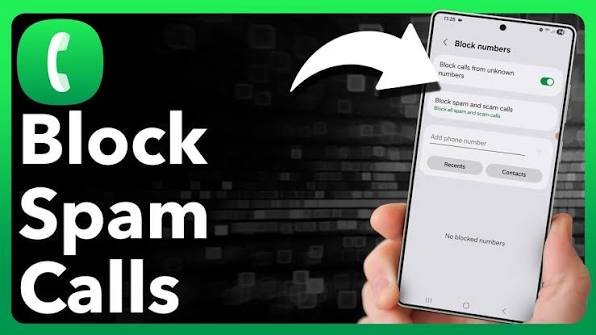
To stop spam calls on an Android phone in Pakistan, use three layers. First, turn on Caller ID and spam in the Google Phone app and block or report each spam number. Second, report the number to your mobile company and to the PTA’s 9000 spam line. Third, if the calls continue, complain to the PTA on 0800-55055 after your operator fails to fix it. PTA also announced short codes in 2021 for blocking telemarketing and unknown callers, but I could not confirm that they still work. Never share your account numbers, passwords or one-time codes with a caller. Here are the steps, the short codes with their limits, and what I could not confirm.
Step 1: Turn On Caller ID and Spam Protection
These steps are for the Google Phone app, according to Google’s help page:
- Open the Phone app and tap More options, then Settings.
- Tap Caller ID and spam.
- Turn on See caller ID & spam. Google says it is on by default.
- Turn on Filter spam calls as well.
- Google says filtered calls do not cause missed-call or voicemail notifications, but they still appear in your call history, and you can check your voicemail.
- On phones with automatic Call Screen, there is no “Filter spam calls” option. Spam blocking is part of the Call Screen settings instead.
- Google says calls from numbers outside your contacts are sent to Google to identify business names or detect spam, but it does not take numbers from your contact list.
Step 2: Block or Report a Number
- Open the Phone app and tap Home at the bottom.
- Tap the call, then tap Block or Report spam. You can also tap and hold the call to see this option.
Google says marking a number as spam stops more calls from it and reports the spammer. If you block a real caller by mistake, open Recent calls, tap the call, then tap Not spam and Unblock.
Step 3: Silence Unknown Numbers (Optional)
- Android’s own guide says some phones have a setting called Block unknown/private numbers. These calls will not ring, but they still appear in your call history. Contacts are not affected.
- This can also silence real calls from numbers you have not saved, such as couriers or hospitals. This is general advice.
Step 4: Report the Number in Pakistan
The PTA’s help page lists these routes:
- 9000: The PTA’s spam reporting line. The page names it but does not explain how to use it. In 2021, The News and Geo reported that you send the spammer’s number, then a space, then the text of the message to 9000.
- Your mobile company first: Ask for a complaint number, the time it will take to resolve and who to contact if it is not fixed. If it is not resolved within that time, you can complain to the PTA.
- PTA complaints line: Call 0800-55055 (toll free) or use the online option. Keep ready your name, contact details, the operator’s complaint number and a short description.
- Calls from abroad showing a local number: Ufone’s page says you can call the PTA hotline on 0800 55055 or send a free SMS to 8866 describing the call.
A 2022 BOL News report says you can report a scam number to your provider first so it can be blocked, then to the PTA on 0800-55055 if the provider does not act. It also mentions the PTA CMS mobile app. I did not check the app myself.
PTA Short Codes From 2021: Check Before You Rely on Them
In January 2021, The News and Geo reported these PTA measures:
- Do Not Call Register: Text reg to 3627 to block telemarketing. Text unreg to 3627 to opt back in. If calls continue, contact your service provider.
- Block obnoxious or unknown calls and messages: Jazz, Telenor and Ufone users dial *420#. Zong users dial 420.
PTA’s current help page does not mention 3627 or 420, and I found no 2026 source confirming them. Try them, but check your operator’s current instructions. The reports also cover only telemarketing messages for 3627, not every kind of call.
Step 5: Protect Yourself From Scam Calls
- PTA advises never sharing account numbers, passwords or other personal details in response to unknown or unexpected calls or SMS (The News, 2021).
- Hang up and call the real bank or company using the number on its official website or your card. This is general advice.
- Never give out the one-time code that arrives by SMS. This is general advice.
- Report fraud on WhatsApp inside WhatsApp itself (BOL News).
- Keep Android and the Phone app updated, since updates often improve spam detection (Android.com).
- Review your blocked list now and then and unblock any real contacts (Android.com).
What I Could Not Confirm
- Whether Google’s caller ID and spam features work fully in Pakistan. Google’s help page does not list supported countries. Android.com says features vary by region, carrier and device.
- Call Screen in Pakistan. Android.com says automatic Call Screen is available on Pixel phones in the US and manual screening in listed countries. I did not confirm Pakistan, so I only mention it.
- Other phone brands. The steps are for the Google Phone app. Samsung, Xiaomi, Oppo, Vivo and other brands may use their own dialler with different menus, and I did not check them.
- The 3627 and 420 codes today, as shown above, and how long a Do Not Call registration lasts.
- How exactly 9000 works now. PTA’s page names it without steps, and the steps above are from 2021 reports.
- The PTA CMS app and online portal, which I did not open.
- Whether blocking and reporting fully stops spam. Android.com says spam calls cannot be fully eliminated.
This is general information, not an official notice. The PTA and your mobile company are the final authority.
Frequently Asked Questions
How do I turn on spam protection on Android?
Open the Phone app, tap More options, Settings, Caller ID and spam, then turn on See caller ID & spam and Filter spam calls.
How do I block a spam number?
Open the Phone app, tap Home, tap the call and choose Block or Report spam.
Where do I report spam in Pakistan?
The PTA lists 9000 for spam reporting. Report the number to your mobile company too.
How do I complain to the PTA?
Call 0800-55055 after your operator fails to resolve the problem, with the operator’s complaint number ready.
What is the Do Not Call Register?
A 2021 PTA measure where you text “reg” to 3627 to block telemarketing. I could not confirm it still works.
Will blocking stop all spam calls?
No. Android.com says spam calls cannot be fully eliminated, so keep blocking and reporting.
What should I never share on a call?
Account numbers, passwords and one-time codes.
Block and report each spam number, and keep your personal details to yourself.
