


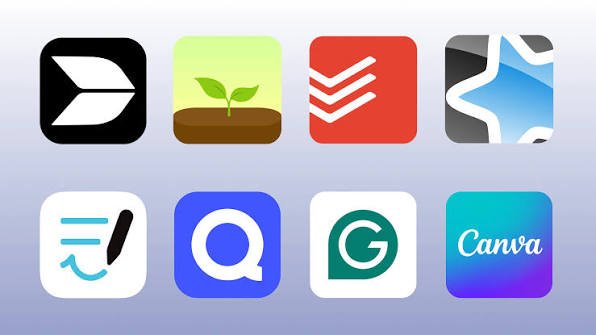
Studying is easier when your notes, tasks, and time are in order. The right productivity apps for students can help you plan your week, remember what you learn, and stay focused during exams. Most of them are free or have a useful free plan. Below are 10 apps worth trying in 2026, with direct Google Play and App Store links for each.
Quick Comparison of the 10 Apps
| App | Best For | Cost |
|---|---|---|
| Notion | Notes, tasks, and planning in one place | Free; free Education plan for college students |
| Todoist | Daily to-do lists and deadlines | Free plan; paid Pro plan |
| Google Calendar | Class timetable and time blocking | Free |
| Forest | Staying off your phone while you study | Pricing differs by platform |
| Google Keep | Quick notes and reminders | Free |
| Microsoft OneNote | Lecture notes and handwriting | Free |
| Anki | Memorising with flashcards | Free on Android; paid on iPhone |
| Quizlet | Flashcards and practice quizzes | Free plan; paid upgrade |
| Trello | Group projects | Free plan; paid plans |
| Khan Academy | Free lessons and practice | Free |
Prices and plan limits change often, so check each app’s store page before you pay.
1. Notion
Notion is an all-in-one workspace. You can keep class notes, assignment lists, and study plans on linked pages. Start simple, with one page for each subject, instead of building a big dashboard.
The free personal plan has no time limit. College and university students with a school email can also get the free Education plan. K-12 students use the regular free plan.
Download: Google Play | App Store
2. Todoist
Todoist keeps assignments and small tasks in one clean list. You can create a project for each class, add due dates and priorities, and break big assignments into steps. The free plan allows five personal projects, and the paid Pro plan raises that limit.
Download: Google Play | App Store
3. Google Calendar
Google Calendar is the simplest way to see your whole week. Add your class timetable, exam dates, and study blocks. Set reminders so you never miss a deadline. It works well with Gmail and Google Meet, which many students already use.
Download: Google Play | App Store
4. Forest
Forest helps you avoid your phone. You plant a virtual tree and set a focus timer. If you leave the app to scroll, the tree dies. Over time, you grow a forest that shows your focus. Reports say Forest is free on Android and paid on iPhone, so check the price in your store.
Download: Google Play | App Store
5. Google Keep
Google Keep is perfect for fast notes. Save a quick idea, a checklist, a photo of the board, or a voice note. You can colour-code notes and set reminders. It syncs across your phone and laptop and costs nothing.
Download: Google Play | App Store
6. Microsoft OneNote
OneNote works like a digital notebook with sections and pages. It supports typing, drawing, and handwriting, which makes it good for lecture notes on a tablet. If your school gives you Microsoft 365, OneNote fits neatly with Word and Teams.
Download: Google Play | App Store
7. Anki
Anki is a flashcard app that uses spaced repetition. It shows each card again just before you are likely to forget it. This makes it strong for vocabulary, definitions, and medical or law exams. The Android version, AnkiDroid, is free. The iPhone version, AnkiMobile, is a paid app.
Download: Google Play (AnkiDroid) | App Store (AnkiMobile)
8. Quizlet
Quizlet turns your notes into flashcards, tests, and games. You can also use sets made by other students. The app has a free plan and paid upgrades, so start with the free version and see if it is enough.
Download: Google Play | App Store
9. Trello
Trello uses boards, lists, and cards. It is a clear way to run a group project. You can assign tasks, set due dates, and move cards from To Do to Done. The free plan supports small teams, which suits most class projects.
Download: Google Play | App Store
10. Khan Academy
Khan Academy offers free lessons and practice in maths, science, economics, and more. It is useful when you miss a class or need extra practice before an exam. Videos, exercises, and progress tracking are all in one app.
Download: Google Play | App Store
How to Choose the Right Apps
You do not need all ten. A small set works better than a crowded phone. Try this simple plan:
- Plan: Google Calendar and Todoist.
- Take notes: Notion, OneNote, or Google Keep.
- Study: Anki or Quizlet.
- Focus: Forest.
- Group work: Trello.
Use each app for two weeks before you add another. If you stop opening an app, delete it.
Tips to Stay Productive With These Apps
- Check your task list every morning and plan three main jobs for the day.
- Block study time in your calendar like a class.
- Turn off notifications from social media while you study.
- Review flashcards for 10 minutes a day instead of cramming.
- Back up your notes and sign in with the same account on all devices.
Frequently Asked Questions
What are the best productivity apps for students?
Notion, Todoist, Google Calendar, Forest, and Anki are strong choices. The best set depends on how you study.
Are these apps free?
Most have a free plan or free version. Anki on iPhone is paid, and Forest pricing differs by platform.
Is Notion free for students?
Yes. Notion has a free plan, and college and university students with a school email can get the free Education plan.
Which app is best for memorising?
Anki and Quizlet are best for flashcards and memorising.
Which app is best for group projects?
Trello is a simple choice. Notion also works well for shared pages.
Conclusion
The best productivity apps for students help you plan, take notes, study, and stay focused. Start with two or three from this list, use them every day, and add more only if you need them. Plans and prices change, so confirm details in each store before you pay. For more helpful guides, keep following Pakistan Post. You can also explore free lessons on the Khan Academy website.
