


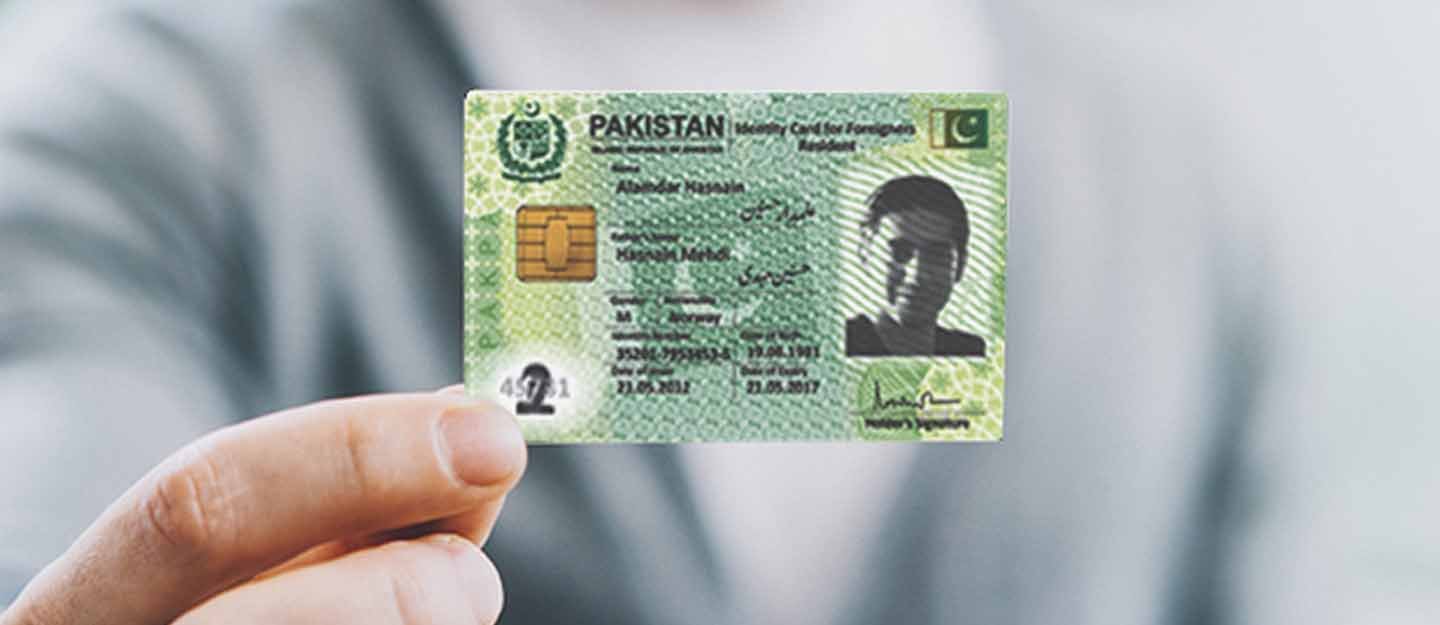
The Smart CNIC is NADRA’s chip-based identity card, and it’s now the recommended version for most Pakistanis. This guide explains how to apply for a Smart CNIC online, who is eligible to apply this way, the documents you need, and the current fees.
What Is a Smart CNIC?
A Smart CNIC (SNIC) looks similar to the standard Teslin-based CNIC, but it has a secure microchip built in. This chip stores your biometric and personal data securely and offers much stronger protection against forgery and identity theft than the older card. All new cards and renewals issued by NADRA are now Smart CNICs.
Who Can Apply Online?
The online route is not available to everyone. In general:
- Renewal, reprint, or modification: can usually be completed online if your core details, such as name, father’s name, and date of birth, remain unchanged.
- First-time CNIC application: cannot be completed fully online. You must visit a NADRA Registration Centre (NRC) in person.
- Upgrading an old CNIC to a Smart CNIC: can be done at an NRC or through the PakID app.
Documents You Need
- Your existing CNIC (front and back), even if it has expired
- A recent photo meeting ICAO standards, if requested
- Proof of address, such as a utility bill, if you are also updating your address
- Supporting documents for any other change you’re making, such as a marriage certificate or court order, depending on your case
If you are applying from inside Pakistan and need an attester, this is usually a blood relative, such as a parent or sibling, who holds a valid CNIC. They verify your application through an OTP sent to their own registered mobile number.
How to Apply for a Smart CNIC Online: Step by Step
Step 1: Go to the Official Portal or App
Visit the Pak-Identity website at id.nadra.gov.pk, or open the PakID app on your phone.
Step 2: Create or Log In to Your Account
If you’re new, register using your CNIC number, email address, and mobile number. If you already have an account, simply log in.
Step 3: Select the Right Service
Choose Renewal, Reprint, or Modification, depending on what you need. The system will show your existing registered details.
Step 4: Review or Update Your Information
Check your name, date of birth, address, and family details. If everything is correct, confirm as is. If something needs changing, select that field, keeping in mind that modifications may need extra documents.
Step 5: Upload Documents and Complete Verification
Upload any required supporting documents. You may be asked to take a live selfie meeting ICAO photo standards, and complete a fingerprint scan using your phone’s camera.
Step 6: Choose Your Service Type
Pick from Normal, Urgent, or Executive processing, depending on how quickly you need your card.
Step 7: Pay the Fee
Pay online using a debit or credit card, Easypaisa, JazzCash, or through an e-Sahulat counter.
Step 8: Submit and Save Your Tracking ID
Review your application on the final screen, then submit. You’ll receive a confirmation email along with an Application Tracking ID. Save this number to track your application later.
Step 9: Track Your Application
You can track your status in a few ways:
- Log in to your Pak Identity account and check your applications list
- Send your Tracking ID by SMS to 8400
- Call the NADRA helpline at 1777
Smart CNIC Fees (2026)
| Service Type | Approximate Fee | Processing Time |
|---|---|---|
| Normal | Rs. 1,000 | Around 30 days |
| Urgent | Rs. 2,000 | Around 20 days |
| Executive | Rs. 3,000 | Around 7 to 10 days |
Delivery charges are usually separate and not included in the fee above. Prices can change, so confirm the exact fee in the app or on the official NADRA website before applying.
Common Problems and Fixes
- Fingerprint scan keeps failing: use good natural light, a clean camera lens, and keep your finger flat and still on the camera.
- App won’t proceed or shows a network error: completely disable any VPN on your phone, restart the app, and try again.
- Attester verification not going through: make sure your attester’s mobile number is the one registered with their own NADRA record.
- App error during biometric capture: update the app to the latest version. If the issue continues, uninstall and reinstall it.
Frequently Asked Questions
Can I apply for my first-ever CNIC online?
No. A first-time CNIC application requires an in-person visit to a NADRA Registration Centre.
How much extra does a Smart CNIC cost compared to a standard CNIC?
The difference is relatively small, often around Rs. 250 to Rs. 350 more than the standard version, depending on the service type.
How long does it take to get a Smart CNIC?
It depends on your chosen service type, usually between 7 and 30 days.
Do I need someone else to verify my application?
If you need an attester, it’s usually a blood relative with a valid CNIC, who verifies your application through an OTP on their own registered number.
How do I track my Smart CNIC application?
Use your Tracking ID through the Pak Identity app, by SMS to 8400, or by calling the NADRA helpline at 1777.
Applying for a Smart CNIC online is straightforward for renewals, reprints, and most modifications. Keep your documents ready, follow the app’s prompts carefully, and save your Tracking ID so you can follow your application until it’s delivered.
