


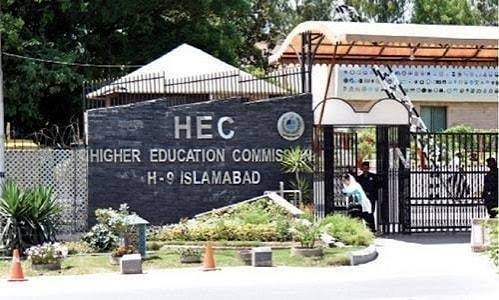
If you have applied for an HEC degree equivalence certificate, you will want to know where your application stands. The Higher Education Commission (HEC) does not clearly describe a public status tracker on its pages that I could read. This guide explains what is confirmed, where to look, and how to follow up if your file seems stuck.
What Is HEC Degree Equivalence?
An equivalence certificate shows that a degree is recognised as equal to a Pakistani qualification. It is needed for jobs, further study and other official purposes. Equivalence is separate from degree attestation, which verifies that a degree is genuine.
Where Applications Are Made
HEC’s equivalence FAQ says to apply through the HEC online portal at eservices.hec.gov.pk. Older guides mention a different address, so use only the HEC portal and check the HEC website for the current one.
How to Check Your Status
- Log in to your account on the HEC eServices portal, the same account you used to apply.
- Open the section for your equivalence application. Look for its current stage and any message from HEC.
- Check the email address and mobile number linked to your account. HEC may send updates or requests for missing documents there. Also check your spam folder.
- If the portal does not show clear status information, contact HEC through the Contact Us section of its website, quoting your application number.
The HEC page I could read does not describe a status-tracking feature, a processing time or a helpline number. It only has a Contact Us link. So treat the portal dashboard as the first place to look, not a guaranteed tracker.
What You Need When Following Up
- Your application or reference number
- Your CNIC number
- The name of the degree and university
- The date you applied and paid the fee
- A copy of your fee payment receipt or challan
Why an Application Gets Delayed
HEC’s published requirements point to common causes:
- The CNIC is not valid.
- Name, father’s name or date of birth does not match across your degree documents and CNIC.
- Documents have erasures or overwriting, which are not accepted.
- The degree was not HEC-attested, when attestation is required first.
- Supporting papers are missing, such as professional council registration or a marriage certificate, where relevant.
For foreign degrees, a 2020 guide also mentioned that the foreign university has to confirm the degree directly to HEC, which can add time. That guide is old, so confirm the current process with HEC.
Fees
HEC’s FAQ for local equivalence states a non-refundable processing fee of Rs. 2,000, payable through 1-Link or by challan into HEC’s online bank account. A 2020 guide gave Rs. 5,000 per degree for foreign equivalence, but that figure may have changed. Check the current fee on the portal before you pay, and keep your receipt.
Staying Safe
- Use only the official HEC website and portal.
- Do not pay agents who promise to “speed up” or “check” your file for money.
- Never share your portal password or one-time codes.
Frequently Asked Questions
Is there an official HEC tool to track equivalence status?
HEC’s equivalence pages that I could read do not describe one. Check your dashboard on the HEC eServices portal and contact HEC if it shows nothing.
How long does equivalence take?
HEC’s page did not state a processing time. Ask HEC for a current estimate.
Where do I apply?
Through the HEC eServices portal at eservices.hec.gov.pk.
What is the fee?
HEC lists Rs. 2,000 for local equivalence. The foreign equivalence fee should be confirmed with HEC.
What if my application is rejected or delayed?
Check for mismatched names, an invalid CNIC or missing documents, fix the problem and contact HEC with your application number.
The safest approach is to keep your application number and receipt, check your portal account regularly and contact HEC directly if nothing changes.
