


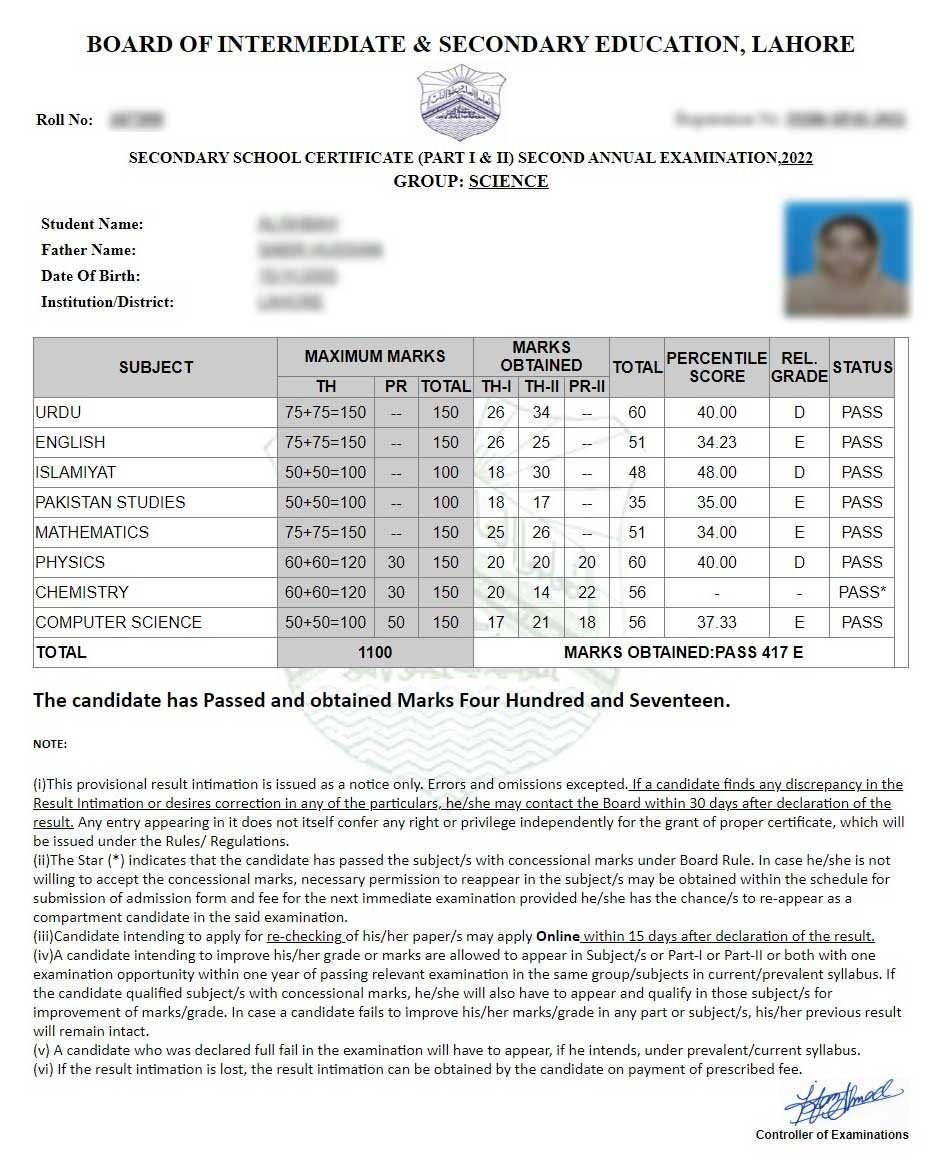
Whether you’re waiting on your Matric result, your Inter result, or any other exam conducted by a Punjab education board, checking it online takes less than a minute once you know where to look. Here’s how to check Punjab board result online for any of the nine BISE boards across the province, along with backup options if the website is running slow.
Step 1: Know Which Board You’re Registered With
Punjab has nine separate education boards, each responsible for a specific set of districts. Your result is published only on your own board’s website — checking the wrong board’s site won’t work, even if you search by the correct roll number. Find your board name printed on your admit card or registration slip if you’re unsure.
Step 2: Visit Your Board’s Official Website
| Board | Districts Covered | Official Website |
|---|---|---|
| BISE Lahore | Lahore, Kasur, Okara, Sheikhupura, Nankana Sahib | biselahore.com |
| BISE Gujranwala | Gujranwala, Sialkot, Gujrat, Hafizabad, Narowal | bisegrw.edu.pk |
| BISE Faisalabad | Faisalabad, Jhang, Toba Tek Singh, Chiniot | bisefsd.edu.pk |
| BISE Rawalpindi | Rawalpindi, Attock, Chakwal, Jhelum | biserwp.edu.pk |
| BISE Multan | Multan, Khanewal, Lodhran, Vehari | results.bisemultan.edu.pk |
| BISE Sargodha | Sargodha, Mianwali, Khushab, Bhakkar | bisesargodha.edu.pk |
| BISE Bahawalpur | Bahawalpur, Bahawalnagar, Rahim Yar Khan | bisebwp.edu.pk |
| BISE DG Khan | Dera Ghazi Khan, Muzaffargarh, Layyah, Rajanpur | bisedgkhan.edu.pk |
| BISE Sahiwal | Sahiwal, Okara, Pakpattan | bisesahiwal.edu.pk |
Step 3: Search Using Your Roll Number
- On your board’s homepage, look for a “Result” or “Online Result” section — it’s usually featured prominently, especially around announcement dates.
- Select the correct class and exam type (for example, SSC Part 1, SSC Part 2, HSSC Part 1, or HSSC Part 2).
- Enter your roll number exactly as printed on your admit card, with no extra spaces.
- Click “Search” or “View Result” to see your full result on screen, including subject-wise marks.
- Use the print or download option to save a copy for your records.
Backup Option 1: SMS Result Check
Most Punjab boards also offer an SMS-based result service, especially useful when board websites slow down under heavy traffic right after a result announcement. The general format is to type your roll number and send it to your board’s designated short code — the exact code is typically announced on the board’s official website and social media pages a few days before results are declared. Standard SMS charges apply.
Backup Option 2: Result Gazette (PDF)
Punjab boards also publish a full Result Gazette — a comprehensive PDF listing every student’s result — usually a short while after the online portal goes live. If the website is too slow to search individually, download the Gazette PDF for your board and use the “Ctrl + F” search function (or your phone’s in-app PDF search) to quickly find your roll number or name.
What to Do If Your Result Doesn’t Appear
- Double-check your roll number: A single incorrect digit will return no results or an incorrect one.
- Confirm your board: Make sure you’re checking the board tied to your actual registration, not just the nearest or most well-known one.
- Wait if it’s announcement day: Server traffic is heaviest in the first hour after results go live — try again after a short wait, or use the SMS or Gazette method instead.
- Contact your board directly: If the issue persists beyond a day or two, contact your board’s help desk using the phone number listed on their official website.
A Word of Caution on Third-Party Result Sites
Searching for board results online often surfaces third-party aggregator sites that mirror official results. While many are harmless, results on these sites can occasionally lag behind or format data incorrectly. For anything official — admissions, scholarships, or record-keeping — always rely on the result displayed on your board’s own official website rather than a third-party copy.
Frequently Asked Questions
Is checking my Punjab board result online free?
Yes. All nine boards provide free result checking through their official websites, with no login or fee required.
What do I need to check my result?
Just your roll number, exactly as printed on your admit card or registration slip.
What if I don’t know which board I’m registered with?
Check your admit card or registration slip — the board name is printed there. You can also ask your school or college, since institutions are affiliated with a specific board based on their district.
Can I check results from a previous year using the same method?
Most boards keep past results accessible through a separate “previous results” or archive section on their website, though availability can vary by board and by how far back you’re looking.
With your board and roll number ready, checking your Punjab board result online takes only a minute — and knowing the SMS and Gazette backup options means you’re covered even if the website gets overwhelmed with traffic on a big announcement day.
