


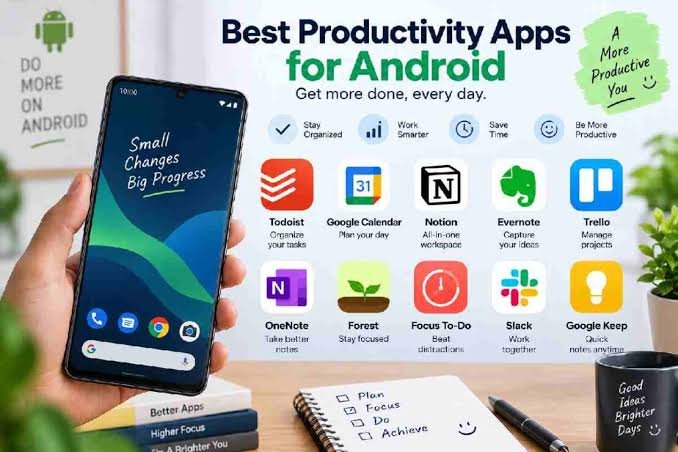
You don’t need a paid subscription to get organized on Android. Between task managers, note-taking tools, focus timers, and habit trackers, there’s a genuinely strong lineup of free apps in 2026 that cover almost everything a productivity system needs — no credit card required to get real value.
Quick Comparison: What Covers What
| App | Category | Free Tier Highlights |
|---|---|---|
| Todoist | Task management | 5 projects, natural language task entry, home screen widget |
| TickTick | Tasks + calendar + habits | Tasks, built-in Pomodoro timer, habit checklist in one app |
| Notion | Notes & workspace | Uncapped blocks for individual use; great for databases and planning |
| Google Keep | Quick notes | Fast, simple note capture with reminders and checklists |
| Forest | Focus timer | Free with full basic functionality; grows virtual trees while you stay off your phone |
| Google Calendar | Scheduling | Fully free with any Google account |
| Bitwarden | Password manager | Unlimited passwords, free across all your devices |
| MacroDroid | Automation | Free for up to 5 automations; simpler alternative to Tasker |
Best for Task Management: Todoist or TickTick
If you only install one app from this list, make it a task manager. Todoist stands out for fast task capture, reliable cross-device sync, and natural language input — type “submit report Friday 5pm” and it automatically sets the date and time for you. The free plan covers 5 personal projects with no time limit, which is genuinely enough for most individual users.
TickTick takes a different approach by bundling more into one app — tasks, a calendar view, a habit checklist, and a built-in Pomodoro focus timer — making it a strong pick if you’d rather not juggle three separate apps for these functions.
Best for Notes: Notion, Google Keep, or Obsidian
For a full workspace that combines notes, databases, and planning in one place, Notion’s free plan is generous enough for individual use, with no cap on the number of content blocks you create. It’s worth knowing upfront that Notion’s Android app works better for reading and browsing existing notes than for building complex content from scratch on a small screen — most people do the heavy lifting on desktop and use the mobile app to check in on the go.
If you want something faster and simpler, Google Keep handles quick notes, checklists, and reminders without any learning curve. For a more powerful, fully offline option with no sign-up required, Obsidian is free for personal use and stores your notes as local files you fully control.
Best for Focus: Forest
Forest takes a genuinely clever approach to beating phone distraction: you plant a virtual tree, and it grows for as long as you stay off your phone. Leave the app early, and the tree dies. It’s a small, visual incentive that a lot of users find more effective than a plain timer, and the free version includes full basic functionality without needing to pay for the core experience.
Best for Habits: Loop Habit Tracker or TickTick
If building consistent daily habits is your main goal, a dedicated habit tracker like Loop Habit Tracker gives you visual streaks and completion charts without any cost. If you’re already using TickTick for tasks, its built-in habit checklist means you don’t need a separate app at all.
Best for Automation: MacroDroid
Automation apps let your phone handle repetitive actions on its own — silencing notifications at work, auto-replying to texts while driving, or turning on Wi-Fi when you get home. MacroDroid offers a genuinely intuitive visual macro builder, making it a more approachable alternative to the more powerful but steeper-learning-curve Tasker. The free version caps you at 5 macros, which is enough to test whether automation is actually useful for your routine before considering the one-time paid upgrade.
Don’t Forget: Password Security
Productivity isn’t just about tasks and notes — keeping your accounts secure without the mental overhead of remembering dozens of passwords matters too. Bitwarden offers unlimited password storage completely free, syncing seamlessly across your phone and other devices, and is one of the most consistently recommended free security tools across the Android ecosystem.
How to Actually Build a Stack That Works
The biggest mistake people make with productivity apps isn’t picking the wrong one — it’s trying to install everything at once. A better approach: identify your actual pain points first. If you constantly forget tasks, start with Todoist or TickTick. If you’re drowning in scattered notes, add Notion or Keep. If your phone is the main distraction stopping you from getting things done, Forest alone might solve more than any task manager could. Three or four apps that each do one job well will serve you far better than one bloated app trying to do everything at once.
Final Thoughts
The free tiers available on Android in 2026 are genuinely capable — Todoist and TickTick alone cover most people’s daily task management needs without ever requiring a subscription, and pairing either with Forest and Bitwarden rounds out a solid, completely free productivity foundation. Start with whichever pain point bothers you most, give the app a couple of weeks to actually become a habit, and only add more tools once you’re sure the first one has genuinely earned its place on your home screen.
