


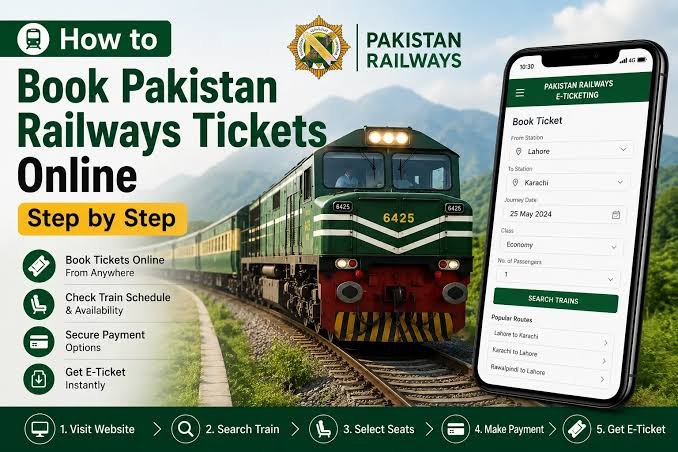
You can book Pakistan Railways tickets from your phone or computer, so there is no need to stand in a long queue at the station. This guide explains where to book, the usual steps, how to pay and what to know about refunds.
Where to Book
Pakistan Railways’ official website is pakrail.gov.pk. Its homepage has a “RABTA E-Ticket” link, which leads to the booking login page, and also links to an official app called Rabta on Google Play and Huawei AppGallery.
Always start from pakrail.gov.pk or the Rabta app. Do not book through random websites or links in messages, since fake booking pages exist.
Step-by-Step: How to Book
The railway site does not spell out the steps on its homepage, and the Rabta system has been recently launched, so screens may differ a little from what is described here. The general process, based on reports, is:
- Open pakrail.gov.pk and click the RABTA E-Ticket link, or open the Rabta app.
- Log in. If you are new, create an account first and follow the on-screen steps.
- Enter your departure station, destination and travel date, then check train timings and seat availability.
- Choose your train, class and seats.
- Enter the passenger details asked for, such as name and CNIC number.
- Choose a payment method and pay.
- Save the confirmation SMS and booking details. Keep a printout or screenshot, since ticket checkers may ask to see it.
Ways to Pay
Reports mention debit and credit cards and mobile accounts. Older guides also listed JazzCash, Easypaisa, UPaisa and bank transfers. Another option described for the older website was paying through UBL Omni. After booking, you note your order ID and pay through Omni Dukaan or the Omni app, then get a confirmation SMS from Pakistan Railways that serves as your ticket. Because the system may have changed with the new Rabta platform, check which payment options appear on the payment screen.
How Early Can You Book?
One guide says up to 60 days before travel. The official site did not state this, so check the booking page for the current limit.
Refunds and Cancellations
Pakistan Railways announced a new refund policy in January 2025. As reported:
- Online tickets: Refunds are handled online through the payment service provider you used. The refund percentages are the same as for counter tickets.
- No refund after departure.
- Online tickets cannot be cancelled when the train leaves in less than 1 hour 30 minutes.
- Counter tickets: About 80% refund 24 to 48 hours before departure, 70% within 24 hours and 50% within two hours. The report was unclear on the 90% figure for earlier cancellations, so check before relying on it.
- Full refund if the train is cancelled or runs more than six hours late.
These rules come from a news report and may have changed, so confirm on the booking page.
Tips for a Smooth Booking
- Book as early as possible for Eid and holiday travel, since popular trains fill up.
- Check names and CNIC numbers carefully before you pay.
- Keep your confirmation SMS until the journey ends.
- Check fares on the official site, as fare lists change.
Need Help?
The official website shows a contact number, +92-51-9272117, in its header, though it does not label it as a helpline. For booking problems, you can also visit a railway station booking office.
Frequently Asked Questions
What is the official site for Pakistan Railways booking?
pakrail.gov.pk, which links to the Rabta e-ticket login.
Is there an app?
Yes. The official site links to an app called Rabta on Google Play and Huawei AppGallery.
Do I need my CNIC?
Passenger details, including CNIC number, are asked for during booking, according to reports.
Can I cancel an online ticket?
Yes, with a refund deduction, but not within 1 hour 30 minutes of departure and not after the train has left.
Is my SMS my ticket?
Reports say the confirmation SMS serves as your ticket, so keep it safe.
Booking online saves time and queues. Use only official channels and read the payment and refund rules before you confirm.
