


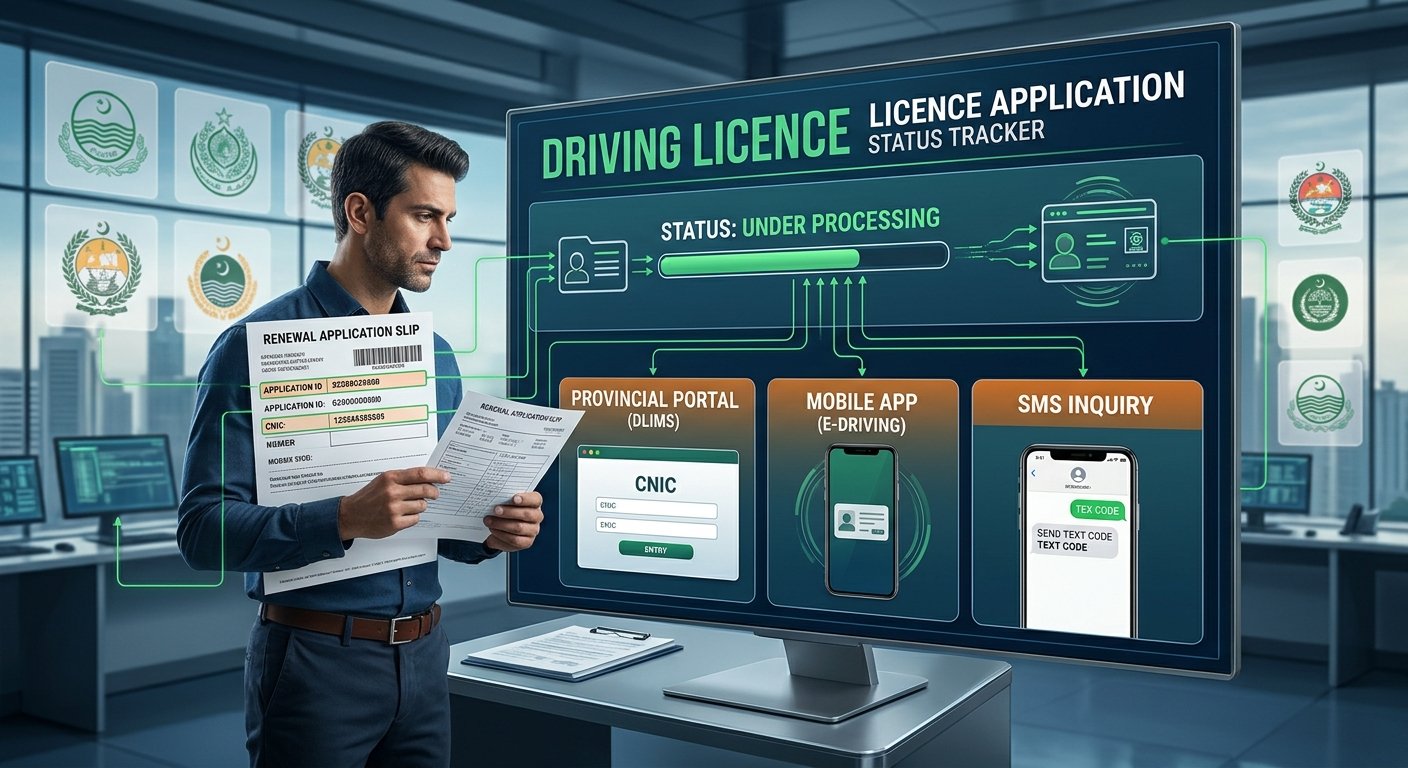
If you applied to renew your driving licence in Punjab, you can follow your application on the Dastak app or on the DLIMS website. You need your CNIC number, and the status shows stages such as under review, approved and dispatched. Other provinces use their own systems. Here are the steps, what each status means, what to do if it is stuck and what the sources do not confirm.
Punjab: Where to Check
Radio Pakistan (14 June 2026) says the Punjab government linked the Dastak app with the Punjab Traffic Police’s Driving License Information Management System (DLIMS). ARY News (19 June 2026) says regular licence renewal has moved to the Dastak app. It says you can check the request status in the Dastak app or in DLIMS.
- Dastak app: Log in to your account and look for your application under Driving Licence Services. A guide by SignTest (October 2026) says you can see the status inside your Dastak account.
- DLIMS: SignTest gives the address as dlims.punjab.gov.pk and says to enter your 13-digit CNIC without dashes. Type the address yourself.
Radio Pakistan does not mention status tracking, so these steps rest on ARY, LCCI and SignTest.
What You Need
- Your CNIC number, with no dashes.
- Your PSID (payment slip ID) and payment receipt, in case the payment does not show.
- Your licence number and the mobile number you used to apply.
Steps to Check Your Status
- Open the Dastak app and log in, or open the DLIMS tracking page.
- Enter your CNIC, with no dashes.
- Enter the captcha code, if asked.
- Read the status, and note the date.
What the Statuses Mean
ARY lists approved, under review and dispatched. SignTest lists these stages: submitted, payment confirmed, under review, approved, processing and dispatched. SignTest is a third-party guide, so the exact words on the screen may differ.
- Submitted and payment confirmed: Your application and fee have been received.
- Under review or approved: The Excise or traffic police staff are checking your papers.
- Processing or printing: The card is being made.
- Dispatched: The card has been handed to the courier.
SignTest says an e-licence can be downloaded from your dashboard after approval, with a QR code to verify it. I did not confirm this from an official source.
If Your Payment Does Not Show
SignTest says to wait up to 24 hours for the bank to sync, then use the “Verify Payment” option on your dashboard. If it still shows unpaid, contact the helpline with your PSID receipt. It says not to pay again, because that can cause a double charge. LCCI says digital payments can take time to show.
If Your Application Is Delayed
- Check your details. ARY says common causes of delay are blurred CNIC or licence photos, wrong details, not finishing the final submission after payment, and a missing medical certificate for people over 50.
- Finish the application. ARY says you must press final submit in the app after you pay.
- Courier delay. SignTest says that if the card shows “Dispatched” for more than about three weeks, contact your nearest Licensing Authority or the Punjab Police helpline.
LCCI gives these contacts for licence queries: emergency 15, phone 042-99202892, and email info@dlims.punjab.gov.pk. This is a third-party blog, so confirm the numbers on the official site.
How Long Does Delivery Take?
SignTest says a physical card usually arrives 3 to 7 working days after approval and printing. ARY says delivery status can be tracked online. Another ARY report (29 August 2026) says Punjab plans real-time tracking of licence cards by linking the postal service with DLIMS. Today, it says the DLIMS portal only shows whether a card is being processed or printed. The plan has no start date.
Other Provinces
PakWheels says DLIMS is used in all provinces and gives these routes. The page has no date, and it is a third-party guide.
- Islamabad: DLIMS and the City app Islamabad.
- Balochistan: DLIMS and the Quetta Traffic Police verification page.
- Sindh and Khyber Pakhtunkhwa: DLIMS only. No separate site or app is named.
PakWheels also says you can send your licence number and CNIC, both without dashes, by SMS to 8583. It says this shows licence details. I did not find a source that says it shows renewal status. A 2023 BOL News guide on Islamabad renewal did not open, and I found no current Islamabad status steps.
Where the Sources Differ
- Punjab app: PakWheels names the Rasta app and a Traffic Police renewal page for Punjab. ARY, Radio Pakistan and SignTest, which are newer, say Dastak. I used Dastak.
- Renewal fees: SignTest and LCCI list different totals for the same licence. The PSID amount for your own application is the one to pay, and fees can change.
Beware of Lookalike Sites and Agents
- Many private websites use names like “DLIMS” and charge or collect your data for a simple tracking check. They are not government sites.
- Use only the official Dastak app and the official DLIMS address, and do not follow links in messages.
- Do not give your CNIC, PSID or receipt to an agent.
- Pay only against the PSID created for your own application.
What I Could Not Confirm
- The exact screens and status words in the Dastak app and on DLIMS today. I could not open either.
- Whether DLIMS requires a captcha or login for tracking.
- How to check renewal status in Sindh, KP, Islamabad and Balochistan.
- Whether the SMS 8583 service shows renewal status.
- The official delivery time for a renewed card.
This is general information, not an official notice.
Frequently Asked Questions
Where can I check my renewal status in Punjab?
In the Dastak app or on DLIMS, according to ARY News.
What do I enter?
Your 13-digit CNIC, with no dashes, according to SignTest.
My payment is not showing. What do I do?
Wait up to 24 hours, use “Verify Payment” and do not pay again, according to SignTest.
How long does the card take to arrive?
Usually 3 to 7 working days after approval and printing, according to SignTest.
Can I track the courier in real time?
Not yet. Punjab plans it, according to ARY (29 August 2026).
Can I download a digital copy?
SignTest says an e-licence can be downloaded after approval. This is not confirmed officially.
Keep your CNIC and PSID receipt handy, and check the official app or DLIMS page for updates.
