


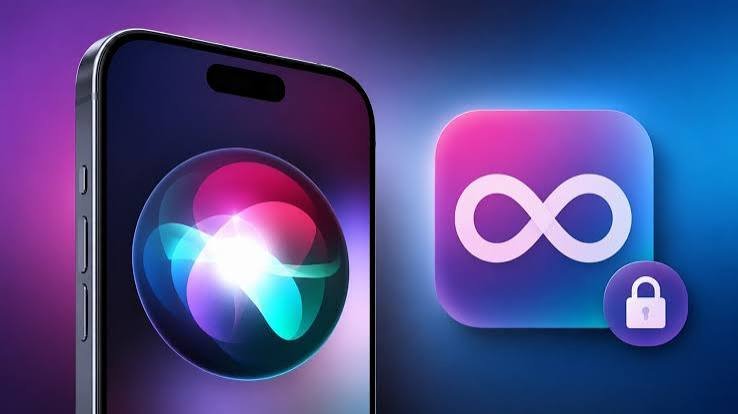
Apple’s biggest Siri overhaul in over a decade arrives Monday, September 14, as iOS 27 rolls out as a free update. After months of beta testing since its unveiling at WWDC in June, here’s exactly what’s changing — and what you’ll need to actually use the headline features.
The Big One: Siri AI
The centerpiece of iOS 27 is Siri AI, Apple’s Apple Intelligence-powered rebuild of its long-criticized voice assistant. Apple says the new Siri is more personal, conversational, and capable than before, with support for natural follow-up questions, awareness of personal context, and understanding of what’s currently on your screen. Rather than getting its own destination app in the traditional sense, the upgraded Siri instead gains improved memory and a more distinct personality within the existing experience — alongside a dedicated Siri app where users can chat directly with the underlying AI model and revisit previous conversations.
Open the Camera app, and Siri is available to perform actions through Visual Intelligence. Start typing anywhere on the phone, and a new “Write with Siri” tool appears above the keyboard. It’s worth noting Siri AI is launching in beta — Apple hasn’t said when it will formally graduate out of that status.
Which iPhones Actually Get the Full Experience
| Requirement | Detail |
|---|---|
| iOS 27 general compatibility | iPhone 11 and newer, including iPhone SE (2nd generation) |
| Siri AI & Apple Intelligence features | Requires newer hardware — Apple has not published a definitive qualifying list |
| Hands-free Siri on AirPods 5 | Requires iOS 27 + an Apple Intelligence-compatible iPhone |
This is the key catch for a lot of users: while iOS 27 itself installs on phones going back to the iPhone 11, the marquee Siri AI features are gated behind newer chips capable of running Apple Intelligence — meaning a meaningful share of the installed base updating to iOS 27 won’t actually get the new Siri experience at all.
What Else Is New
- Safari: Can now organize tabs automatically, monitor webpages for changes, and even build browser extensions from plain-language descriptions
- Photos: New Spatial Reframing tool for adjusting composition, plus an Extend feature that uses generative fill to expand an image’s borders
- Apple Reference Image: A new verification system that stores an untouched original alongside any edits, with metadata confirming a photo came from a real camera capture rather than being AI-generated
- Messages: Bill-splitting through Apple Cash, typing indicators in group chats, and visibility into draft messages so partially written texts aren’t lost
- Passwords, Calendar & Shortcuts: Gain new AI-powered capabilities as part of the broader Apple Intelligence push
- CarPlay: One of its biggest updates in years, including Siri AI integration and Apple TV app support
- Parental controls: Notably strengthened compared to previous versions
Not everything made the cut for launch — event suggestions and automatic password updates, both previously anticipated features, have reportedly been delayed to a future release.
Why Apple Took This Long to Rebuild Siri
The Siri AI rebuild follows years of reporting that Apple’s original Siri architecture simply couldn’t support the kind of multi-step, context-aware requests that competitors like Google Assistant and ChatGPT were already handling. Apple’s original plan to bring AI-enhanced Siri sooner was delayed multiple times — early reporting suggested some capabilities might not arrive until iOS 27, with a more advanced “LLM Siri” once projected to be up to two years further out still. The version launching now reflects Apple catching up on backend architecture and AI licensing arrangements that had been a recurring criticism of the company’s broader AI strategy since 2024.
For Developers: New Siri APIs
iOS 27 also opens new Siri APIs that let third-party apps expose specific actions directly to Siri AI — a capability largely closed off under the old assistant framework. This creates a clear incentive for developers to build integrations specifically targeting the newer hardware tier capable of running Siri AI, even though doing so leaves out a meaningful portion of users still on iPhone 11 through 14-series devices with no access to the new Siri experience at all.
How to Update
- Go to Settings on your iPhone
- Tap General, then Software Update
- Once available (from September 14), tap Download and Install
- Ensure your phone is charged or plugged in, and connected to Wi-Fi, before starting
Final Thoughts
iOS 27 marks Apple’s most ambitious Siri overhaul in years, but the rollout comes with real nuance: the headline AI features are still in beta, hardware requirements will leave a chunk of users without access to the full experience, and a couple of anticipated features have already been pushed to a future update. For most users, the safest approach is simple — update on September 14 for the broader improvements across Safari, Photos, and Messages, but temper expectations around Siri AI specifically until it’s clear whether your device qualifies and how the beta experience holds up in daily use.
