


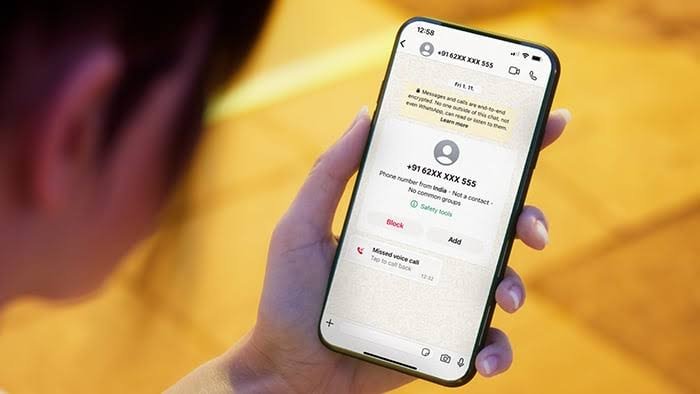
A message arrives from an unknown number: “You have won,” “Your account will be blocked,” or “I sent you a code by mistake.” It looks urgent and real. But in Pakistan, a single wrong tap can empty a wallet or hand over your WhatsApp account. This guide shows you how to check whether a WhatsApp scam message is fake, step by step, using simple red flags and safe ways to verify.
The 30-Second Scam Check
Before you reply, click, or send anything, ask these six questions:
- Is it unexpected? Did you ask for this offer, job, or payment?
- Does it create urgency? Scammers say “act now” or “your account will be closed.”
- Does it ask for a code? No real service needs your OTP, PIN, or MPIN.
- Does it ask for money first? Fees, deposits, and “unlock” payments are classic traps.
- Is the link official? A real government site ends in .gov.pk, and a bank link matches the bank’s own website.
- Does it sound too good to be true? Easy salary, free money, or a guaranteed prize usually is a scam.
If the answer to any of these is yes, stop. Do not reply or click.
Eight Red Flags of a WhatsApp Scam
- Request for an OTP or verification code: never share it, for any reason.
- Urgent threats: “your SIM will be blocked” or “your account is suspended.”
- Unknown number claiming to be someone you know: “Hi, it’s me, I changed numbers.”
- Request to pay a fee: to receive a prize, a job, or a government payment.
- Links that are not official: shortened or look-alike web addresses.
- APK files or app installs: a message asks you to install an app outside the Play Store or App Store.
- Poor spelling and odd wording: mistakes that a real organisation would not make.
- Pressure to move off WhatsApp: to Telegram, another chat app, or a private group.
Common WhatsApp Scams in Pakistan
| Scam | What the Message Says | What to Do |
|---|---|---|
| Verification code scam | “I sent you a code by mistake. Please forward it.” | Never share the code. It lets them take over your account. |
| Fake job or task scam | “Earn easy money from home,” followed by payments to “unlock” tasks | Do not pay or send documents. Check the employer yourself. |
| Fake BISP or Ehsaas message | “You qualified for assistance. Click here or pay a small fee.” | Check eligibility only through 8171 or the official BISP website. |
| Bank or wallet alert | “Your account will be blocked unless you verify.” | Call the bank or wallet helpline from its official website. |
| Fake courier or delivery message | “Your parcel is held. Pay a fee or click to confirm.” | Check the courier’s official tracking page directly. |
| Prize or lottery message | “You won a car or cash prize.” | Delete it. You cannot win a contest you did not enter. |
| Impersonation of a friend or relative | “I need money urgently. Please send it to this account.” | Call the person on their known number before you send anything. |
How to Verify a Suspicious Message
1. Do not click or reply
Open nothing, install nothing, and do not forward the message to others.
2. Check through an official channel you find yourself
Search for the organisation’s website or call the helpline printed on your card, bill, or official page. Do not use the number in the message.
3. Call the person if the message claims to be from a friend or family member
Use the number you already have saved. Ask a question only they can answer.
4. Check the web address
Look at the exact spelling of the domain. Scammers use addresses that look similar, with extra letters or words.
5. Check job offers with the company
Find the employer’s official website, and confirm the job there. For government posts, look for the job on the National Jobs Portal or a provincial job portal. Never pay a fee to get a job.
6. Check government messages on the official site
For BISP, the official SMS number is 8171, and checks are free. BISP does not ask for fees or an OTP, and it does not need an app installed from a WhatsApp link.
What to Do If You Already Shared a Code or Sent Money
- Stop engaging. Do not send more money or information.
- If you shared a WhatsApp code, re-register your number, turn on two-step verification, and warn your contacts that messages from you may be fake.
- If you shared a wallet or bank detail, contact your bank or wallet provider at once, change your MPIN or password, and ask them to block the account.
- Save evidence. Keep screenshots of chats, phone numbers, payment receipts, and links.
- Report it. See the next section.
For help with payment disputes, see our guides on how to dispute an Easypaisa transaction and how to dispute a JazzCash transaction.
Where to Report a WhatsApp Scam in Pakistan
- WhatsApp: open the chat, tap the contact name, then Block and Report. This helps WhatsApp act on the number.
- NCCIA: the National Cyber Crime Investigation Agency handles cybercrime complaints. Its helpline is reported as 1799, so confirm it on the official website before you call.
- PTA: for scam SIMs and messages, report through the Pakistan Telecommunication Authority. Reports list 0800-55055 as its helpline.
- Your bank or wallet: for any payment you made.
Pakistan’s National CERT has also published an advisory on WhatsApp account takeover by OTP scams. It tells users never to share verification codes, and to turn on two-step verification.
Protect Your WhatsApp Account in Advance
- Turn on two-step verification under Settings, Account.
- Never share a six-digit code, even with a friend.
- Limit who can add you to groups. See our guide on how to stop unknown numbers adding you to WhatsApp groups.
- Silence unknown callers under Settings, Privacy, Calls.
- Keep WhatsApp updated.
- Teach family members, especially parents, the six-question check above.
Frequently Asked Questions
How can I tell if a WhatsApp message is a scam?
Look for urgency, requests for codes or money, strange links, and offers that sound too good to be true. Then verify through an official channel.
Is it safe to click a link in a WhatsApp message from an unknown number?
No. Do not click it. Check the sender through an official site or helpline.
What should I do if someone asks for my WhatsApp code?
Do not share it. No one needs it, and sharing it lets them take over your account.
Does BISP send WhatsApp payment messages?
BISP’s official SMS number is 8171. Treat WhatsApp payment messages and requests for a fee as scams.
Where can I report a scam number?
Report it inside WhatsApp, and file a complaint with NCCIA and PTA.
Conclusion
To check whether a WhatsApp message is a scam, pause, look for the red flags, and verify through an official channel that you find yourself. Never share an OTP, PIN, or code, and never pay a fee to receive money or a job. Scam methods change quickly, so keep your settings tight and stay alert. For more practical guides, keep following Pakistan Post. You can also read the National CERT website for official cyber security advisories.
