


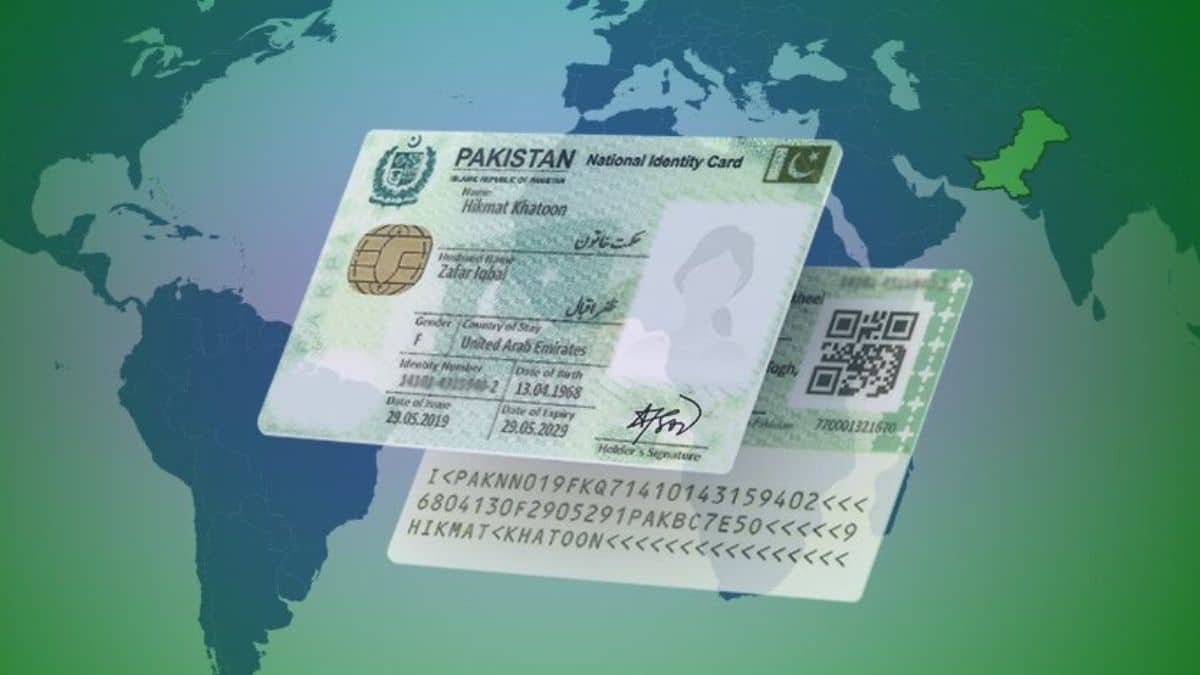
NICOP is the official identity card for Pakistanis living abroad, and it now works almost entirely online. This guide explains how to apply for a NICOP online, who is eligible, the documents you need, and what to expect at each step.
What Is NICOP?
NICOP stands for National Identity Card for Overseas Pakistanis. It serves as both a valid Pakistani ID and a travel document, letting holders enter Pakistan visa-free for the life of the card. Beyond travel, a NICOP is often needed to buy property in Pakistan, open bank accounts such as a Roshan Digital Account, renew a Pakistani passport, and register children born abroad.
Who Can Apply for a NICOP?
You are eligible for a NICOP if you are a Pakistani citizen who:
- Is living or working outside Pakistan
- Holds dual nationality of a country recognized by the Government of Pakistan
If you have renounced your Pakistani citizenship, you are not eligible for a NICOP. In that case, you would instead apply for a Pakistan Origin Card (POC), which carries some rights but treats you as a foreign national.
Documents You Need
- Valid Pakistani or foreign passport, or a residence permit or other travel document
- Your existing CNIC or NICOP, if you have one (front and back, even if expired)
- A recent photo meeting ICAO standards, captured through the portal or app
- Details of two witnesses if you are applying from outside Pakistan (each witness must be a valid NICOP holder)
- An attester form, if applying from within Pakistan
Make sure your name and your father’s or husband’s name match exactly across all your documents, since mismatches are a common cause of delay.
How to Apply for a NICOP Online: Step by Step
Step 1: Register on the Pak Identity Portal or App
Go to id.nadra.gov.pk, or open the PakID app. Register using your email address, CNIC, or NICOP number.
Step 2: Select Your Application Category
Choose whether you’re applying for a new NICOP, a renewal, or a modification.
Step 3: Fill in Your Details
Complete the application form with your personal, family, and contact details.
Step 4: Capture Your Photo
Take your portrait photo through the portal or app, following the on-screen guidelines so it meets ICAO standards.
Step 5: Add Witnesses (If Applying From Abroad)
Provide the details of two witnesses who are valid NICOP holders.
Step 6: Upload Your Documents
Upload your passport, existing ID card, and any other required documents. Download and fill the attester form if you’re applying from inside Pakistan, or have it completed by your witnesses if applying from abroad, then scan and upload it.
Step 7: Review and Sign the Declaration
Check all the information you’ve entered, then sign the declaration electronically.
Step 8: Pay the Fee
Pay online by debit or credit card. For a new NICOP or reprint, payment is usually taken at the end of the application. For other categories, you may need to pay at the start.
Step 9: Complete Biometrics
Depending on your case, this can be done through the app’s camera-based fingerprint scan from home, or you may need a short visit to your nearest Pakistani embassy or consulate for a quick biometric appointment, usually around 10 to 15 minutes.
Step 10: Track Your Application and Receive Your Card
Once approved, your NICOP is printed in Pakistan and couriered to your address abroad.
NICOP Fees and Processing Time
Fees depend on your country’s currency zone and the processing speed you choose. As an example, for applicants in the USA (NADRA’s Zone A), commonly reported 2026 fees are:
| Service Type | Approximate Fee (USA/Zone A) | Processing Time |
|---|---|---|
| Normal | Around $39 | Around 31 days |
| Urgent | Around $57 | Around 23 days |
| Executive | Around $75 | Around 7 working days |
These figures are approximate and apply to Zone A countries like the USA. Fees vary by country zone and change periodically, so always confirm the exact current amount on the official Pak Identity portal before paying. Courier delivery adds extra time on top of the processing period, and processing usually only begins once your fee and documents are accepted.
Renewing an Existing NICOP
Renew your NICOP before it expires to avoid any travel disruption. The process is largely the same as a new application: register or log in, select Renewal, update your details if needed, and complete payment and verification. A renewal typically costs the same as a new card.
Tips to Avoid Delays
- Make sure your name and your father’s or husband’s name match exactly across your passport, existing ID, and application form.
- If a supporting document is in Urdu, you may need a certified translation or attestation for it to be accepted abroad.
- Apply only through the official NADRA Pak Identity portal or app. Never share your login details or pay anyone who claims they can “fast-track” your approval outside official channels.
- Save your Application Tracking ID as soon as you get it, and use it to follow your application status.
Frequently Asked Questions
Do I have to visit a consulate to get a NICOP?
Not always. Most applicants can complete the entire process online, including biometrics through the app in many cases. A consulate visit may still be needed for a quick biometric appointment or for complex family cases.
Can I apply for a NICOP if I gave up my Pakistani citizenship?
No. If you have renounced your Pakistani citizenship, you would apply for a Pakistan Origin Card (POC) instead.
How much does a NICOP cost?
It depends on your country’s currency zone and your chosen processing speed. Always confirm the current fee on the official NADRA Pak Identity portal before paying.
How long does it take to receive a NICOP?
Processing generally takes anywhere from about a week to a month, depending on your service type, plus courier delivery time to your address abroad.
What can I use a NICOP for?
Visa-free entry to Pakistan, buying property, opening bank accounts such as a Roshan Digital Account, renewing your Pakistani passport, and registering children born abroad.
Applying for a NICOP online has become straightforward for most overseas Pakistanis. Keep your documents ready, double-check that your names match across everything, and save your Tracking ID so you can follow your application through to delivery.
