


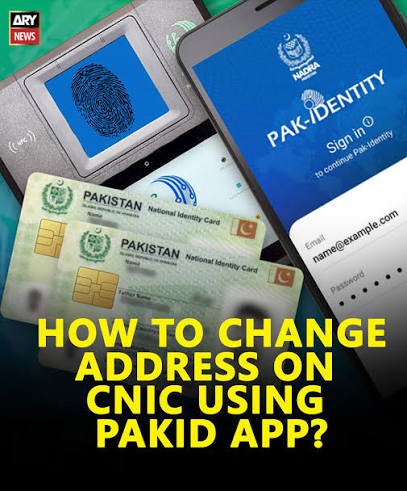
Moved to a new house? Your CNIC address needs to match, or you could face problems with banking, voting, and other official processes. This guide explains how to change your address on CNIC using NADRA’s PakID app, plus what to do if you need to visit a centre instead.
When Should You Update Your CNIC Address?
- You have permanently moved to a new house or city
- You have relocated for a job or for studies
- Your present address is different from your permanent address
- You got married and moved to a new home
An outdated address can cause delays or rejection when your CNIC is checked for banking, government services, or identity verification.
Documents You Need for Proof of Address
NADRA requires proof of your new address. You can submit one of the following, in your name, or in the name of your parents or spouse:
- Electricity, gas, or water bill
- Domicile certificate
- Property ownership documents
- Society allotment letter
- Verified tenancy or rent agreement
Make sure the document clearly shows the new address you want on your CNIC.
How to Change Your CNIC Address Through the PakID App
Step 1: Open or Download PakID
Install the PakID app from the Google Play Store or Apple App Store if you don’t have it, then log in to your account.
Step 2: Go to CNIC Modification
From the main menu, select Identity Documents, then CNIC, and tap Modification.
Step 3: Select Address Change
Choose the address change option. You may be asked whether you want to update your present address, permanent address, or both.
Step 4: Enter Your New Address
Fill in your new address carefully and accurately, matching the details on your proof-of-address document.
Step 5: Upload Your Supporting Document
Upload a clear copy of your utility bill, domicile certificate, property document, or tenancy agreement as proof.
Step 6: Complete Biometric Verification
The app will ask for a live selfie and a fingerprint scan using your phone’s camera, if your biometrics are not already on file or need reconfirmation.
Step 7: Pay the Fee and Submit
Choose your service type (normal, urgent, or executive), pay the fee through the app, and submit your application.
Step 8: Track and Receive Your CNIC
Track your application status in the app. Depending on the service you choose, your updated CNIC will be delivered to your home or to your selected NADRA centre.
When You Must Visit a NADRA Centre Instead
Address change is usually possible fully online, but a centre visit is required if:
- Your biometric verification is not already on file, or repeatedly fails through the app.
- You are making other major changes at the same time, such as your name or marital status.
- The app flags your case for manual review.
To update your address in person, take a token for CNIC Modification, and submit your original CNIC along with your proof-of-address document.
CNIC Service Fees and Processing Time
| Service Type | Approximate Fee | Processing Time |
|---|---|---|
| Normal | Rs. 400 – 750 | Around 30 days |
| Urgent | Rs. 1,200 – 1,500 | Around 10 days |
| Executive | Rs. 1,900 – 2,150 | Around 2 to 3 days |
Exact fees can change, so confirm the current amount in the PakID app or at your NADRA centre before you apply.
Common Mistakes to Avoid
- Submitting a proof-of-address document that doesn’t clearly show the new address
- Uploading a blurry or partially visible document
- Mixing up present and permanent address fields
- Ignoring the address update after moving, which can cause problems later with banking or verification
Frequently Asked Questions
Can I change my CNIC address without visiting a NADRA centre?
Yes, in most cases. If your biometric data is already on file, you can complete the address change fully through the PakID app.
What documents count as proof of address?
A utility bill, domicile certificate, property document, society allotment letter, or a verified tenancy agreement, in your name or your immediate family’s name.
How long does an address update take?
It depends on the service type. Normal service can take around a month, while urgent and executive services are faster but cost more.
Can I update both present and permanent addresses together?
Yes, the app lets you choose to update your present address, permanent address, or both in the same application.
What if my address change request is rejected?
This usually happens due to unclear or invalid proof of address. Check that your document is legible and shows your name and the new address clearly, then reapply.
Updating your CNIC address is quick through the PakID app if your biometrics are already verified. Keep your proof-of-address document ready, and your updated CNIC can be on its way within days.
