


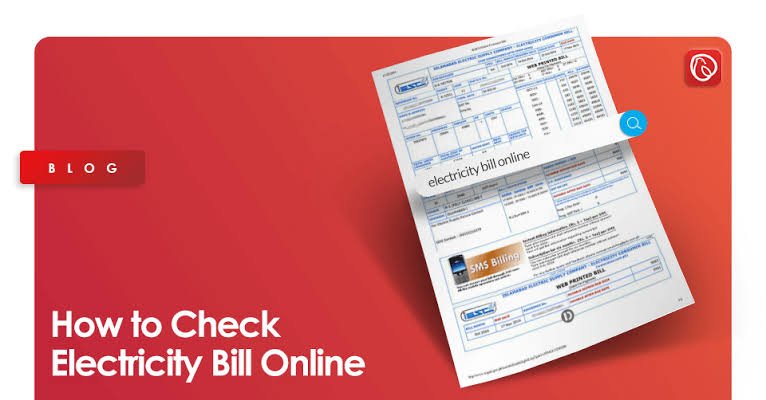
Did you pay last month’s bijli bill? Do you need proof of past payments for a loan, a rent agreement, or a dispute? You can check your electricity bill payment history without visiting an office. This guide shows you the easiest ways in Pakistan, what number you need, and how to avoid fake websites.
What You Need First: Your Reference Number
For most electricity companies (DISCOs), you need the 14-digit reference number. It is printed on every bill, near the top left, below your name and address. Some sites also accept a Customer ID.
K-Electric works differently. Its customers use a 13-digit account number instead.
No official bill site lets you search by CNIC, name, or phone number alone. If you have lost your reference number, look at an old bill, your meter, or ask your DISCO.
Where to Check Your Payment History
| Where | Best For | What You Need |
|---|---|---|
| Your printed bill | Quick look at the last 12 months | Any recent bill |
| PITC web bill portal | Customers of the public DISCOs | 14-digit reference number or customer ID |
| K-Electric website or SMS | Karachi customers | 13-digit account number |
| Bank or wallet app history | Proof that you paid | Your own app login |
| DISCO office or helpline | Disputes and missing records | CNIC, reference number, receipts |
Method 1: Read the History on Your Printed Bill
Guides say Pakistani electricity bills usually include a small table showing the last 12 months. For each month it lists the units used, the bill amount, and the payment recorded. Look on the right side or back of the bill. This is the fastest way to see if a month shows as paid.
Method 2: Use the PITC Web Bill Portal
The Power Division says you can view, print, and download your electricity bill at bill.pitc.com.pk. The portal covers the public distribution companies, such as IESCO, MEPCO, FESCO, HESCO, PESCO, GEPCO, SEPCO, QESCO, and TESCO.
- Go to bill.pitc.com.pk. Type the address yourself.
- Choose your electricity company.
- Enter your 14-digit reference number, or your customer ID.
- Press the search button.
- Look at the bill. The online copy follows the printed layout, so the 12-month history table should appear on it.
- Download or print the bill if you need a copy.
LESCO customers can also use LESCO’s own website, lesco.gov.pk.
Method 3: K-Electric Customers in Karachi
K-Electric has its own portal, separate from PITC, at ke.com.pk. Use your 13-digit account number. One guide says you can also text BILL, a space, and your 13-digit account number to 8119. Check the current steps on KE’s website before relying on that.
Method 4: Prove Payment With Your Bank or Wallet
If you only need proof that you paid, your bank app, JazzCash, Easypaisa, or ATM receipts also keep a record of bill payments. Search your transaction history for the bill month or the reference number. Save screenshots or download statements, so you have them if there is a dispute.
Method 5: Ask Your Electricity Company
If a payment is missing or the history looks wrong, contact your DISCO’s customer service or visit its office. Take your CNIC, the reference number, and your payment receipts. The helpline number is printed on your bill. If you never received your bill, the Power Division says you can file a non-delivery complaint on the PITC complaint system at ccms.pitc.com.pk.
What the History Tells You
- Units used: shows if your use jumped in some months.
- Bill amount: helps you plan your budget.
- Payment recorded: shows which months are paid.
- Arrears: an unpaid amount carries forward to the next bill.
When You May Need Old Bills
- Proof of address for a bank, school, or visa
- A loan or rent application
- Checking a high bill against your earlier months
- A dispute about an unpaid or wrongly charged amount
- Selling or renting a house, to show no dues are pending
Beware of Lookalike Websites
Many private websites say they will check your bill for you. They are not part of the government or the electricity companies, and some use similar names. To stay safe:
- Use official addresses: PITC pages end in pitc.com.pk, K-Electric in ke.com.pk, and LESCO in lesco.gov.pk.
- Never pay money to a site just to “check” a bill.
- Do not enter your CNIC, card number, or password on a bill-check site. A reference number is enough.
Frequently Asked Questions
Where do I find my reference number?
It is the 14-digit number at the top left of your bill. K-Electric customers use a 13-digit account number instead.
Can I check bill history by CNIC?
Official portals do not offer a CNIC-only search. You need your reference number, customer ID, or account number.
How many months of history can I see?
Printed bills typically show the last 12 months. Older months may need a request to your electricity company.
Is checking my bill online free?
Yes. Checking and downloading a bill on the official portals is free.
What if my payment does not show?
Keep your payment receipt, then contact your electricity company with your reference number and CNIC. Updates can take a few days to appear.
Checking your electricity bill payment history takes only a minute when you have your reference number. Check the official portal, save your receipts, and avoid lookalike sites, so you always know what you have paid.
