


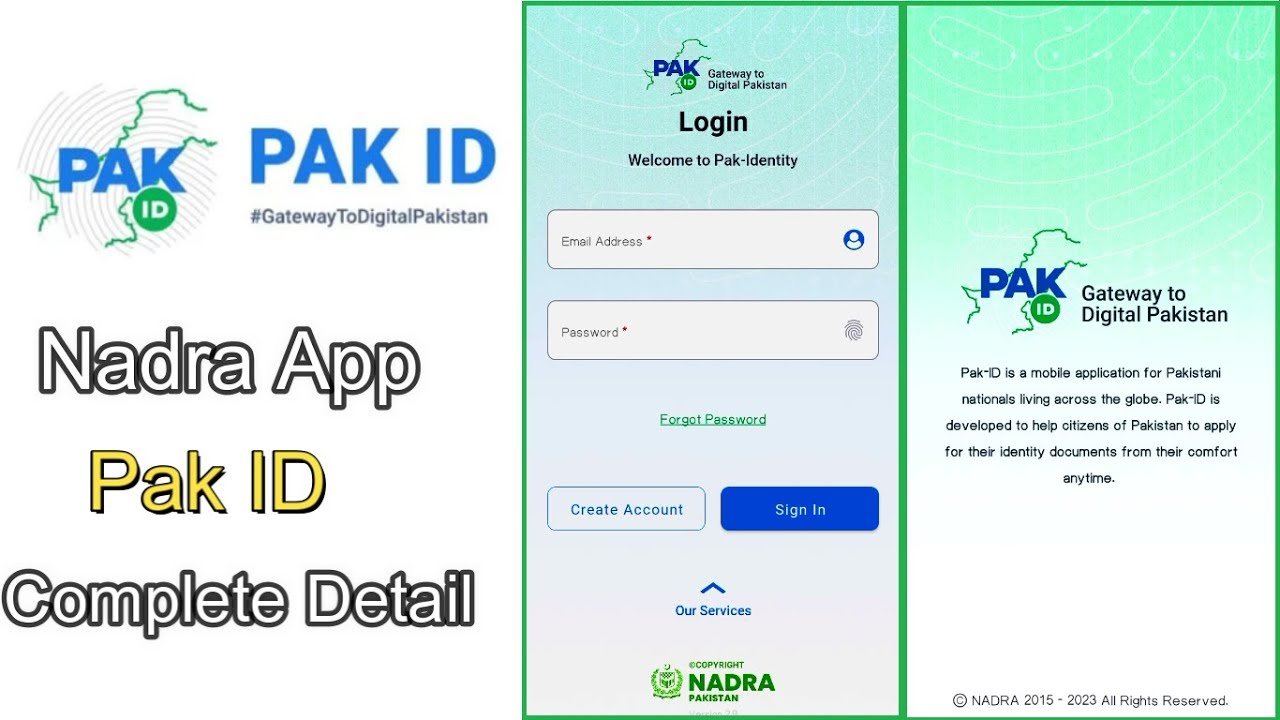
PakID is NADRA’s official app for identity services in Pakistan. You can use it to apply for a CNIC, NICOP, POC, and other documents without visiting a NADRA centre. This guide shows you how to create a PakID account online, step by step.
What Is PakID?
PakID is NADRA’s identity registration app. Through it, you can renew or modify a CNIC, apply for a fresh or renewed NICOP, get a Pakistan Origin Card (POC), request a Child Registration Certificate (CRC), get a Family Registration Certificate (FRC), and apply for cancellation certificates. The app is available for both Android and iOS.
PakID also offers a Single Sign-On (SSO) feature. Once you have a verified PakID account, you can use the same CNIC login to access other government services, such as tax and passport systems, without creating separate accounts.
Before You Start
- Download the app only from the official Google Play Store or Apple App Store. Search for “Pak Identity” and check that NADRA is the publisher.
- Avoid APK files or app links sent through WhatsApp or SMS. NADRA has warned about fake lookalike apps.
- Keep your CNIC, NICOP, or POC number ready, along with your registered mobile number and a working email address.
How to Create a PakID Account: Step by Step
Step 1: Download and Open the App
Install the PakID app from the Google Play Store or Apple App Store. Open it and tap Create Account.
Step 2: Enter Your Personal Details
Provide your name, country of residence, mobile number, and email address.
Step 3: Set a Password
Create a password for your account. Use a mix of letters, numbers, and symbols to keep it secure.
Step 4: Enter Your Identity Number
Enter your CNIC, NICOP, or other valid identity number.
Step 5: Verify Your Mobile Number and Email
NADRA sends a one-time password (OTP) to both your phone and email. Enter the codes in the app to confirm your contact details.
Step 6: Complete Biometric Verification
Submit your fingerprints using your phone’s camera or a supported scanner. If fingerprint verification does not work after a few tries, the app lets you complete facial verification with a selfie instead.
Step 7: Activate Your Account
Once NADRA verifies your identity, you will get a confirmation message. Your PakID account is now active, and you can log in using your password or biometrics.
What If You Don’t Have a CNIC Yet?
A first-time CNIC application cannot be fully completed online. A blood relative with an existing, verified PakID account can start the application for you. After that, both you and the relative must visit a NADRA centre to finish the process and complete biometric enrollment in person.
Logging In After Registration
Once your account is active, you can log in using:
- Your registered email or mobile number with your password
- Fingerprint recognition
- Facial recognition
What You Can Do After Creating Your Account
- Apply for CNIC renewal, modification, or a reprint of a lost card
- Apply for a fresh or renewed NICOP
- Apply for a Pakistan Origin Card (POC)
- Request a Child Registration Certificate (CRC) or Family Registration Certificate (FRC)
- Track all your applications from one inbox
- Pay NADRA fees online through cards or mobile wallets
- Use PakID Single Sign-On to log into other government services with the same CNIC login
Common Problems and Fixes
- Fingerprint verification keeps failing: switch to the facial verification option in the app instead of repeating the fingerprint scan many times.
- OTP not arriving: check that your mobile number and email are typed correctly, and check your spam folder for the email OTP.
- Account locked after failed attempts: the app may apply a short cool-down period. Wait for the time shown in the app before trying again.
- Unsure if the app is genuine: only install PakID from the official app store listing published by NADRA, and never enter your CNIC details on a third-party website claiming to be PakID.
Frequently Asked Questions
Is PakID free to download?
Yes, the app itself is free. You only pay the standard NADRA service fee when you apply for a specific document.
Can overseas Pakistanis use PakID?
Yes. PakID lets Pakistanis abroad apply for NICOP and other services without visiting a consulate in person.
What if my fingerprint verification does not work?
The app allows facial verification through a selfie as a backup if fingerprint verification fails after multiple attempts.
Can I create a PakID account without a CNIC?
If you have never had a CNIC, you cannot fully complete a first-time application online. A blood relative with a verified PakID account can start it, but you will still need to visit a NADRA centre.
What is PakID Single Sign-On?
It lets you log into other government services using your existing, verified PakID account, so you don’t need separate logins for each service.
Creating a PakID account takes only a few minutes if you have your CNIC, mobile number, and email ready. Once verified, you can handle most NADRA services from your phone without visiting a registration centre.
