


Do you run a shop, a clinic, a factory, or a company in Punjab, Pakistan? You may have to pay a yearly provincial tax called professional tax. This guide shows you how to pay professional tax online in Punjab through ePay Punjab, who has to pay, and what to check before you pay.
Note: This article is about Punjab, Pakistan. Punjab in India has a different professional tax, so do not follow guides about Indian Punjab.
What Is Professional Tax in Punjab?
Professional tax is a provincial tax collected by the Excise, Taxation and Narcotics Control Department of Punjab. The Excise department says it is governed by the Punjab Finance Act, 1977 and the Punjab Professions and Trade Tax Rules, 1977. It is charged on people and businesses that carry on a profession, trade, calling, or employment in the province.
The tax year runs from 1 July to 30 June, like the government’s financial year. The tax is paid once a year.
Who Has to Pay?
The Excise department’s rate schedule groups taxpayers by type. Examples listed on its page include:
- Companies registered with SECP, taxed by their paid-up capital
- Owners of factories
- Registered medical practitioners
- Restaurants, eateries, bakeries, and sweet shops with air conditioning
- Other professions and trades listed in the schedule
Rates depend on the class you fall in, so find your own class on the official page before you pay. Some online guides show income-based slabs and say the tax goes to the Punjab Revenue Authority. That does not match the Excise department’s own page, which says the department collects the tax and lists rates by class. Use the Excise page as your guide.
Before You Start
- Check which class your business or profession falls in on the Excise department’s professional tax page (excise.punjab.gov.pk).
- Keep your CNIC, and your NTN or business details, ready.
- For a company, keep its registration details and paid-up capital handy.
- Have a bank account, mobile banking, or a wallet for payment.
How to Pay Professional Tax Online Through ePay Punjab
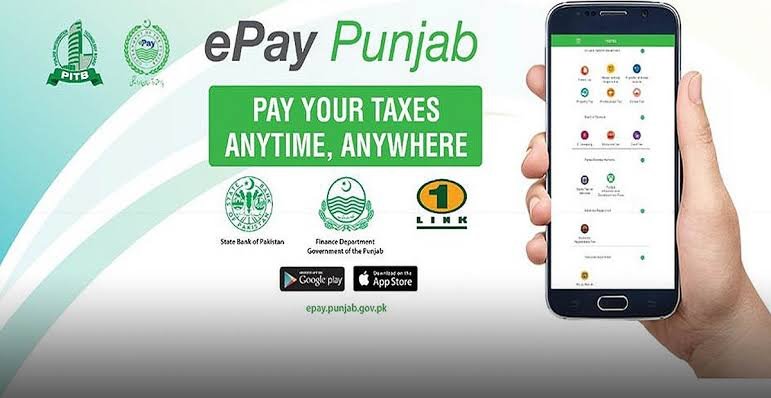
ePay Punjab is the province’s online payment system, built by the Punjab Information Technology Board (PITB) and backed by the Finance Department. Its official app listing says you can pay Professional Tax through it, along with token tax, property tax, and other dues.
Menus can change, so follow the screen in front of you. The steps are usually:
- Open the ePay Punjab app or website.
- Choose Excise and Taxation.
- Choose Professional Tax.
- Enter the details asked for, such as your name, CNIC or NTN, and your business class.
- Check the tax amount shown for your class.
- Generate the payment slip (PSID or challan).
- Pay through mobile banking, internet banking, an ATM, a wallet, or over the counter at a bank.
- Save the receipt and keep it for your records.
The ePay Punjab app lists these payment channels: mobile banking, internet banking, ATM, over the counter, mobile wallets, and telco agents.
Where Else Can You Pay?
| Option | Notes |
|---|---|
| ePay Punjab app or website | Pay from your phone or computer, then save the receipt |
| NBP or SBP branch | The Excise department’s page says you can deposit the tax in any branch of the National Bank of Pakistan or State Bank branch in Punjab |
| Excise and Taxation office | Ask staff for help if you are not sure of your class or your registration |
Clearance Certificate
The Excise department also offers a clearance certificate of professional tax. Companies and businesses may need it for official work, so keep your payment receipts safe. Ask the Excise office what documents it asks for.
Tips to Avoid Problems
- Pay for the correct class. A wrong class means a wrong amount.
- Use only the official ePay Punjab app or the Excise department’s website.
- Do not pay an agent or send money to a personal account.
- Keep your payment receipt for at least several years.
- Do not wait for the last days of the tax year, since banks and apps can be busy.
Frequently Asked Questions
Who collects professional tax in Punjab, Pakistan?
The Excise, Taxation and Narcotics Control Department of Punjab collects it.
Can I pay professional tax online?
Yes. ePay Punjab lists Professional Tax among the dues you can pay through its app and channels.
How often do I pay?
It is an annual tax, and the tax year runs from 1 July to 30 June.
How much is the tax?
It depends on your class, such as company paid-up capital, factory owner, or medical practitioner. Check the rate schedule on the Excise department’s page.
Is this the same as income tax?
No. Professional tax is a provincial tax collected by the Excise department. Income tax is collected by the FBR.
Paying professional tax in Punjab is simple once you know your class. Check the Excise department’s page, pay through ePay Punjab or a bank, and keep your receipt safe.
