


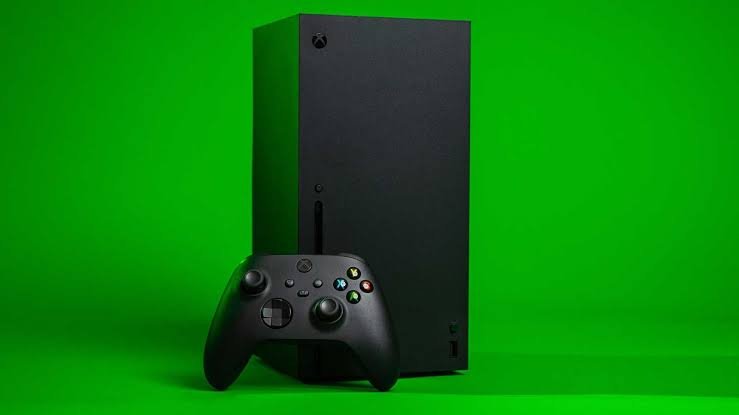
The latest Xbox update is here, and there is a lot going on. Microsoft pushed a small public update on September 22, 2026. At the same time, a much bigger update with 11 new features is being tested by Xbox Insiders. On top of that, Xbox has announced new monthly limits for cloud gaming. Here is everything you need to know, in simple words.
Public Xbox Update (September 22, 2026)
The update that everyone can get is small. It mostly fixes bugs. Microsoft started rolling it out on September 22 for Xbox Series X, Xbox Series S, and Xbox One. It fixes these problems:
- You can now remap the Share button using the Xbox Accessories app.
- Search no longer shows an error for certain search terms.
- The Manage queue page in My games & apps no longer crashes.
- Various stability and performance fixes.
If you have “Keep my console up to date” turned on, the update installs on its own. You can also check by going to Profile & system > Settings > System > Updates.
New Features Coming Soon: 11 Changes in the Insider Preview
A bigger update is now in testing with Xbox Insiders (build 2610.260921-2200). It is expected to reach all users later. Microsoft can still change or remove features before the final release. Here are the new features:
Achievements
You can sort achievements by name, completion percentage, Gamerscore earned, or number unlocked. You can also switch between ascending and descending order.
Chat Audio in Captures
You can now record party chat audio in your game clips. Each player decides if their voice is included, and only players who agree are recorded.
Local Game Save Management
You can view, sort, and delete local save files that you are not using. This helps you free up space on your console.
New Home Screen Options
- Remove any item from Recent Games and the Apps list, including the Play History tile.
- Press the right thumbstick to hide the Home screen menus and show only your custom background. Gamers have loved this one.
Local Search in My Games & Apps
You can search for specific games and achievements. It works together with the existing filters and sorting.
Profile Badges
You can see more details about each badge, including high-quality artwork and when you unlocked it. You can also show up to five badges on your profile card or hide some badges from other people.
Better Remote Play
Remote Play can now stream at up to 1440p with a higher bitrate. This gives sharper and smoother video on supported devices. It is useful when you stream to a laptop, tablet, or handheld PC.
Choose Your Startup Animation
You can pick which animation plays when you turn on your console. Options go from the original Xbox One to the latest design. Go to Settings > System > Startup. You can also turn the sound on or off.
Downloads While Cloud Gaming
If your network allows it, downloads now continue in the background while you play with Xbox Cloud Gaming. You can turn this off under Settings > Cloud gaming > Streaming preferences.
Other Changes in the Preview
- Games you play through Cloud Gaming no longer get added to the Games section automatically.
- Party chat was upgraded to be more reliable and secure.
- The “Apps can add a border” setting is now off by default.
- Fixes for slow menus, stuck downloads, and display problems in the save manager.
Disc to Digital Is Still in Testing
Xbox started testing a “Disc to Digital” feature in August 2026. It could let you turn some physical Xbox games into digital licenses. It is still in Insider testing, and not every game may qualify because publishers must take part. Ubisoft was added recently. Do not expect it to launch for everyone yet.
Big News: Xbox Cloud Gaming Time Limits
Microsoft announced on September 3, 2026 that Game Pass will have monthly cloud gaming limits from November 2026. Before this, cloud gaming was unlimited. After you use up your hours, you must buy more time. Microsoft says only about 4% of subscribers play more than these limits.
| Game Pass Plan | Price (US) | Cloud Gaming Hours per Month |
|---|---|---|
| Essential | $9.99 | 5 hours |
| Premium | $14.99 | 10 hours |
| Ultimate | $22.99 | 15 hours |
The limit only applies to cloud streaming. Games you download and play on your console or PC have no time limit. Microsoft also told some existing subscribers that the change will not affect their current plan while they stay on an auto-renewing subscription, but this depends on the country. The price of extra hours has not been announced yet.
What About Xbox Players in Pakistan?
Xbox Cloud Gaming is not on the official list of supported countries right now. Because of this, the new hour limits mainly affect players in other regions. Console features like the new startup animations, badges, local search, and save management work on your console no matter where you live once the update reaches you.
How to Try the New Features Early
- Download the Xbox Insider Hub app on your Xbox Series X or S.
- Join the Insider program and pick a preview ring.
- Install the Update Preview when it appears.
Keep in mind that preview builds can have bugs. Some features, like the 1440p Remote Play test, first appeared only in the Alpha and Alpha Skip-Ahead rings, which need an invite.
Frequently Asked Questions
What is the latest Xbox update?
The latest public update came out on September 22, 2026 and fixes bugs. A bigger update with 11 new features is being tested by Insiders.
When will the new features reach everyone?
Microsoft has not given a date. Features usually reach all users after Insider testing, so it may take a few weeks or months.
How do I update my Xbox?
Go to Profile & system > Settings > System > Updates. You can also turn on “Keep my console up to date” so updates install by themselves.
Is Xbox Cloud Gaming still unlimited?
For now, yes. The monthly limits start in November 2026.
Which consoles get these updates?
The Insider features are for Xbox Series X and Series S. The public bug-fix update also reached Xbox One.
Xbox is changing fast, with useful console features on the way and bigger changes to cloud gaming. We will update this article when the new features reach everyone.
