


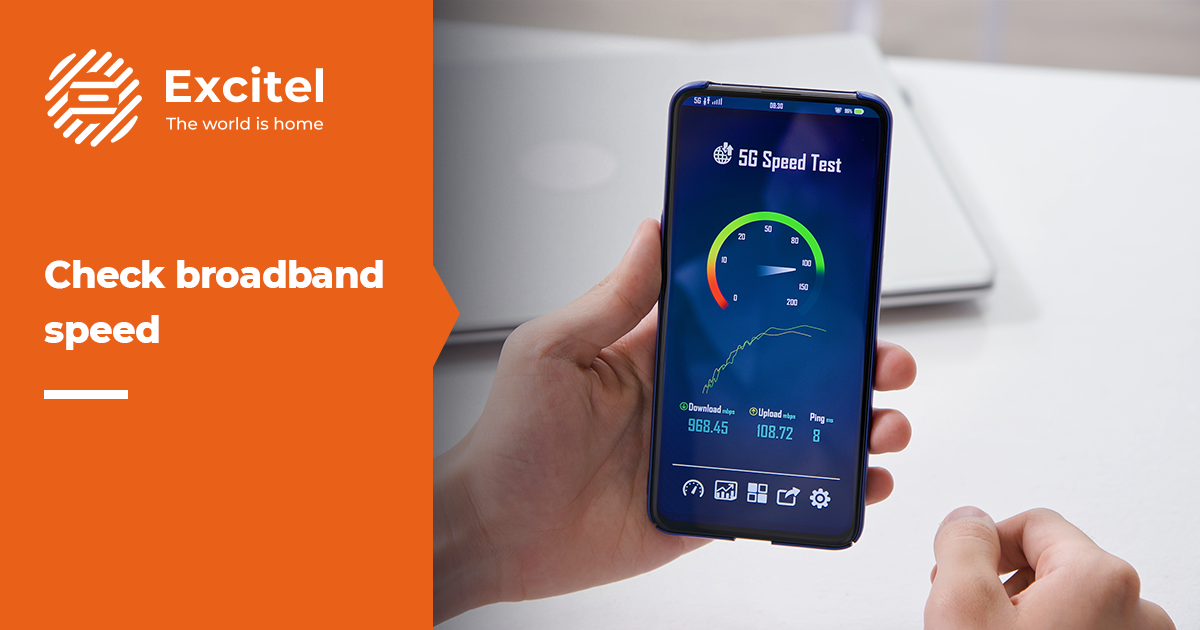
To check internet speed correctly on a phone, run the test close to your router (or in a spot with a good mobile signal), pause other downloads and streaming, turn off any VPN and repeat the test a few times with the same app and server. A single test can mislead you, because distance, other devices, the test server and your plan all affect the result. For Wi-Fi, the most reliable check is a cable connection to the router, which a phone cannot do directly. Pakistan’s telecom regulator, the PTA, also lists its own Speed Test App on its website. Here are the steps, how to read the numbers and what I could not confirm.
What the Numbers Mean
- Download speed: How fast data reaches your phone. It matters for streaming, browsing and app downloads.
- Upload speed: How fast your phone sends data, for example video calls and uploads.
- Ping: The delay in the connection. PTA’s Speed Test App page lists ping, download and upload as the three results it shows.
Step 1: Get Ready
- Pick what you are testing: your home Wi-Fi or your mobile data. Test them separately.
- Stop other use: Verizon and Netgear both say to stop or limit other internet use during the test, such as streaming, downloads and other connected devices.
- Turn off any VPN. Verizon says to disconnect from any VPN.
- Restart the phone if the test seems very slow. This is general advice.
Step 2: Test Your Home Wi-Fi
- Stand close to the router. Netgear and Verizon both say that results drop as you move away from it.
- Run the test and write down download, upload and ping.
- Walk to the room where it is slow and test again. This shows whether the problem is the signal or the plan.
- Repeat the test two or three times, and note the app and server used. Netgear says to use the same server when comparing results.
Step 3: Test Your Mobile Data
- Turn Wi-Fi off so the test uses your mobile data.
- Test in the place where you normally use the phone, because signal differs between rooms, floors and areas. This is general advice.
- Test at different times of the day and compare. This is general advice.
Verizon’s tips are for home networks and say to run the test on your home network, not on public Wi-Fi or cellular networks, so its advice on mobile data does not apply.
Step 4: Use the PTA Speed Test App (Optional)
PTA’s website lists a “Speed Test App” under its e-services. According to that page:
- It measures ping, download and upload speed.
- It also records your network mode, mobile operator and location. PTA says this can help identify strong and weak coverage spots.
- You need to turn on location services and have an internet connection.
- The app detects whether you are on 3G, 4G, LTE or Wi-Fi.
- The Log tab shows past results, and you can export them as a CSV file or delete them.
- You can send feedback about a speed problem.
The page does not say where to download the app or give a date. A 2016 ProPakistani article has a headline calling an earlier PTA speed test app “messed up”. I did not open it, so I cannot say what it found or how the app works today.
Why Your Result May Be Lower Than Your Plan
| Factor | Source |
|---|---|
| Distance from the router | Netgear |
| Other devices using bandwidth | Netgear, Verizon |
| Which test server you used, and how busy it is | Netgear |
| A problem with your provider or the line to your home | Netgear |
| Wi-Fi being slower than a wired connection | Verizon |
| Your phone’s own limits | Verizon |
| Advertised plan speeds, which are often higher than real results | Verizon |
What to Do With the Result
- If your speed is fine near the router but slow far away, the problem is likely the Wi-Fi signal. Try moving the router or reducing the number of connected devices.
- If it is slow even near the router, with nothing else running, Netgear says to contact your internet provider.
- Save screenshots with the date and time. They help when you make a complaint. This is general advice.
What I Could Not Confirm
- The PTA app today. The PTA page has no date or download link. I did not install or test the app, and I do not know whether it is still maintained.
- Which speed test app is best. I did not compare apps, so I do not recommend one.
- Pakistani mobile operators’ advertised speeds. I did not check what Jazz, Zong, Telenor, Ufone or Pakistani home broadband plans promise.
- The accuracy of phone tests. The Netgear and Verizon pages are about home Wi-Fi and are US company support pages. Some sites argue a phone is a weaker testing device than a computer on a cable, but I did not open those pages.
- What speed is “good”. It depends on your plan and use, and I give no figures.
This is general information, not an official notice. Your internet provider and the PTA are the final authority.
Frequently Asked Questions
How do I check my internet speed on a phone?
Open a speed test app or website, stop other downloads, and run the test close to your router or in your usual spot for mobile data.
Why is my speed test result lower than my plan?
Distance, other devices, the test server, Wi-Fi limits and your phone can all lower it. Plan speeds are often higher than real results, according to Verizon.
Should I test more than once?
Yes. Run it two or three times, using the same app and server, and compare.
Should I turn off my VPN?
Yes. Verizon says to disconnect from any VPN before testing.
Does PTA have a speed test app?
PTA’s website lists a Speed Test App that measures ping, download and upload. The page gives no download link or date.
What is ping?
The delay in the connection. A lower number is better. This is general information.
When should I contact my provider?
When results stay well below your plan even close to the router with nothing else running.
Test more than once, in the same way each time, before you decide your internet is slow.
